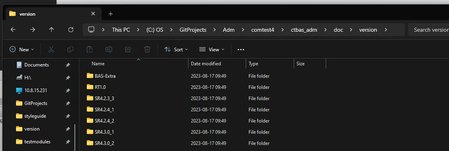
Unable to click second item/object in File Explorer


 Champion Level 3
The inconsistency happens because File Explorer sometimes isn’t focused when the keys are sent. You can fix this directly in your Keyword Test with a simple, stable sequence:
This gives Explorer a reliable starting point and ensures the second folder is opened consistently.
🤖 AI-assisted response
👍 Found it helpful? Click Like
✅ Issue resolved? Click Mark as Solution
Champion Level 3Another idea:
If the folder name changes but it’s always the second item, you can avoid keyboard timing issues by clicking it directly through the File Explorer object. For example:
let explorer = Sys.Process("explorer");
let list = explorer.Window("CabinetWClass").Window("DirectUIHWND");
list.Child(1).DblClick(); // Opens the 2nd folder
This skips the need for focus or delays and stays stable even if folder names change.
You can also wrap it in a small routine and call it from your keyword test.
🤖 AI-assisted response
👍 Found it helpful? Click Like
✅ Issue resolved? Click Mark as Solution