Transform my current ProjectSuite to one where tests can be run in parallel


 Champion Level 3
I see a couple of options.
You could copy your project to each machine and then set up the test list on each one as appropriate.
If you want to control everything from one place, then I think this network suite is what you want:

setting it all up manually is not an option.
I know it has to be done with the network suite, but I am not really sure how to set it up. The examples in the support portal are not very helpful. (at least the ones that I know).
Can anyone help me here?
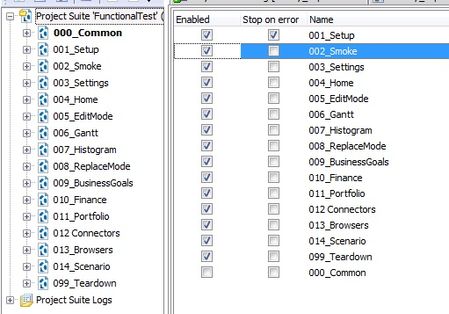
Currently I'd rather do some vb-manipulation of the test-files (enabling / disabling) projects before the test starts. This seems way more easy and way less complicated.
Best regards,
Joachim

Sub Main
  Set system = CreateObject("WScript.Network")
  Select Case LCase(system.computername)
    Case "your pc name lower case"
      sometest()
    Case "your deployed pc name lower case"
      somedifferenttest()
    Case Else
      somedefaulttest()
  End Select
End Sub
Hi Ryan,
how is this supposed to select the correct projects / testitems on each testing machine and run the tests in parallel?
We thought about checking the current project / current testitem in OnStartTest of each testitem. Then skipping the testitem or project if it's not the correct testing machine. But this is quite bad as there would be a result for this testitem shown in the log as the testitem has been started.
For me it seems that our workaround to manipulate xml-file (enable/disable tests before the test starts) is way more efficient than the TestComplete solution.
Is anybody using TestComplete parallel testing at all?
Best regards,
Joachim