Test complete QT objects recognization issue


 Alumni
Hi Dinesh,
I recommend that you go through the Testing Qt Applications article. Qt applications require some additional preparation to make TestComlete fully recognize the objects.

HI Tanya,
I tried all workaround mentioned in the above reference link, but still am facing same.
Am uanble to read the object propery value and not recognized the qt checkbox.
Able acess qt checkbox with coordinates.
Not accessable object Inside the qtscrollarea viewreport
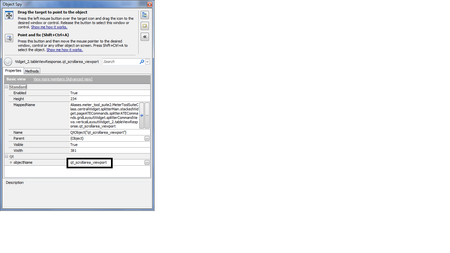
Attached screenshot for your reference.
Please confirm wheter test complete support above object type.
AlumniHi,
In most cases, child objects of grid controls are internal, so TestComplete does not recognize them as individual objects and does not show them in the Object Browser. To access these objects, you need to use native methods/properties of their parent objects.
To see all available properties and methods, switch to the Advanced View mode in the Object Browser – Basic View is currently activated. Also, it makes sense to analyze the parent of the qt_scrollarea_viewport object – tableViewSend.
Thanks for the update Tanya.
In Advance View also non of the properties enabled, Showing blank. :smileysad:

