Forum Discussion


tristaanogre
14 years agoEsteemed Contributor
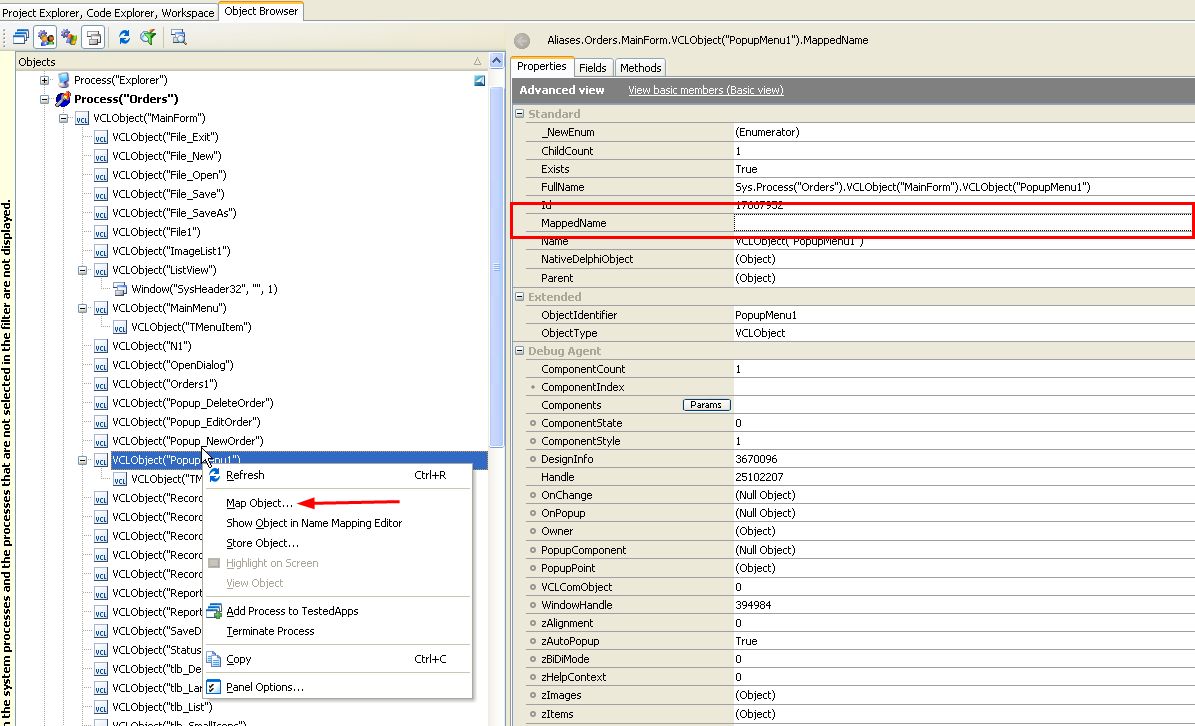
The necessary information is already available. See screenshot attached.
Essentially, in the object browser, you can see the "Mapped Name" property for any highlighted item. If the item does not have a mapping that matches, that field is blank. You can then, in the right-click context menu, select the "Map Object..." option which will take you straight to the mapping dialogs.
Is this kinda what you are looking for?
Essentially, in the object browser, you can see the "Mapped Name" property for any highlighted item. If the item does not have a mapping that matches, that field is blank. You can then, in the right-click context menu, select the "Map Object..." option which will take you straight to the mapping dialogs.
Is this kinda what you are looking for?