Remote Desktop question concerning TC web using a node license and Firefox
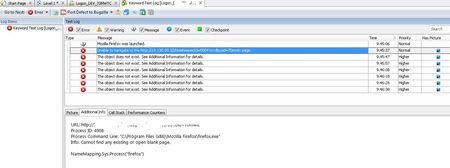


If I'm reading this right, you are running your test on a remote machine (with Browser and TestComplete and Project on THAT machine)....
if you intend to leave that session unattended, you need 2 things:
1- Disable screen saver and energy saver
2- If you want to "disconnect" from the session, use the taskmanager /user tab and find your session number...
Type at the cmdline : tscon sessionNumber /Dest:Console to exit the RDP session safely
This will prevent the actual session from being disrupted while running your tests...
Make sure Firefox has the same settings than your own.. (startup page, etc..)

First thing to find out would be if the test works correctly on the remote machine when you are actually logged into it as a primary user (without remote desktop). If that works then refer to this article : https://support.smartbear.com/viewarticle/72139/
It shows us how you will be able to minize the remote desktop after kicking off the test and continue with your work on your PC while the tests continue to run on the remote PC.
I have implemened this and it works great.