Forum Discussion


shankar_r
7 years agoCommunity Hero
What it displays when you Spy a drop down list item? like properties, class..

mayursheth1
7 years agoContributor
I have attached video for Name Mapping items for Country list
- AlexKaras7 years agoCommunity Hero
Hi,
This gives us nothing.
Exactly like your bug report to your developers: "Your application is not working. Point."
What may help people here to provide you with some piece of advice (I hope that it is expected for you that no one here except you have even smallest idea about your tested application and how it is implemented) is, at least, the following:
-- Screenshot of how the combobox is presented in the Object Browser in TestComplete;
-- Screenshot of how the drop-down part of the combobox is presented in the Object Browser in TestComplete;
-- Namemapping of the combobox and its drop-down part if defines;
-- The actual test code;
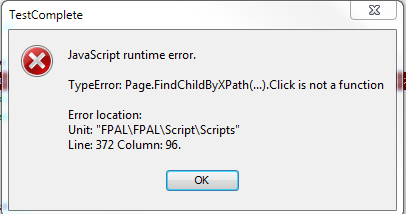
-- Errors reported to test log (if any);
-- Anything else that may help others to get better understanding of your tested application, your test code, about what and how you are trying to get, your expectations and what you are actually getting.
- shankar_r7 years agoCommunity Hero
I had some time hence just sharing some code which you can try
function IO() { var countryName = "INDIA" var Page = Sys.Browser("chrome").Page("*"); var Country = Page.FindChildByXPath("//font[text()='Country of Registration :']//following::td//select"); if(Country.Exists && Country.wIsDropDownOpened){ var countrtoSelect = Page.NativeWebObject.Find("value",countryName,"option"); if(countrtoSelect.Exists){ countrtoSelect.Click(); var aCountry = Page.FindChildByXPath("//font[text()='Country of Registration :']//following::td//select"); if(aCountry.Exists){ if(aqString.Compare(aCountry.wText,countryName,false) == 0){ Log.Message("Country selected as " + countryName); return; } } } } Log.Error("Unable to select the country"); } - mayursheth17 years agoContributor
I tried with the code provided by Shankar with little tweaks as per the object but still it is not identifying it.