Forum Discussion


TanyaYatskovska Alumni
9 years agoAlumniHi Mamatha,
If your application was built with .NET Framework 4.5, TestComplete 8 won’t be able to get access to its object – the tool doesn’t know how to work with this wrapper. So, if you are planning to test your new application, you need to consider updating to the latest TestComplete version.

makula
9 years agoOccasional Contributor
Hi Tanya,
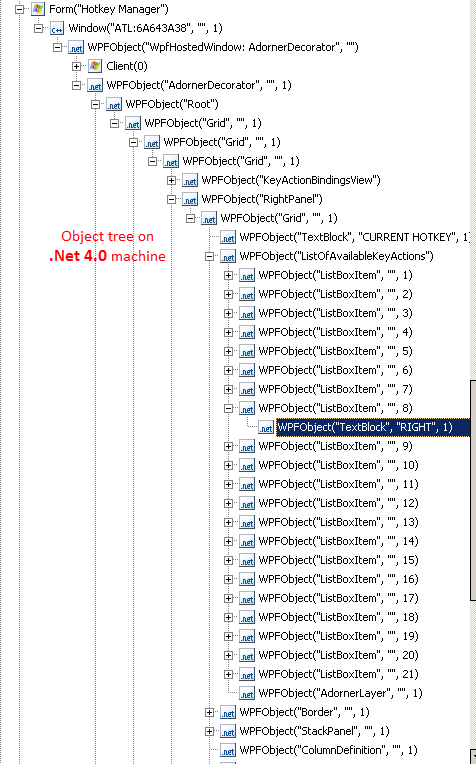
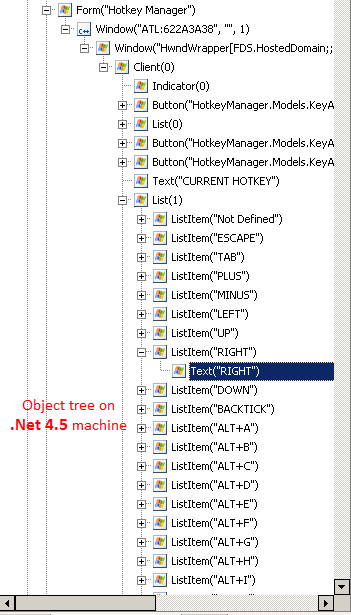
I agree, but the wierd thing I observed is, the objects are identified as Form objects in win8 (.NET 4.5) using TC9 and WPFObjects using TC11.
please refer to below table:

Just curios to know why it is different in 4th and 5th case. Am I missing anything here? please advice!
-Mamatha
- AlexKaras9 years agoCommunity Hero
Hi Mamatha,
What exact version of TC9 are you using? Also, talking about Win8 do you mean exactly Win 8.0 or Win 8.1 as well?
Support for Win8 and .Net 4.5 was added to TC9.1 while support fir Win 8.1 was added to TC10.0 (https://support.smartbear.com/viewarticle/75265/)
- makula9 years agoOccasional Contributor
Hi Alex,
I have Win8.0 with TC 9.20.2460.7 version installed.
-Mamatha
- AlexKaras9 years agoCommunity Hero
Hm-m-m... Have no real idea then...
I would love to hear from Support, but considering that TC9 is not supported already for quite a long time and there were a lot of .Net4.5-related patches from MS since that time, I can easily assume that something was changed that prevents TC9 to see inside .Net 4.5. Especially, if the same behavior is observed on all your machines, but not on some particular one.