Forum Discussion


NisHera
9 years agoValued Contributor
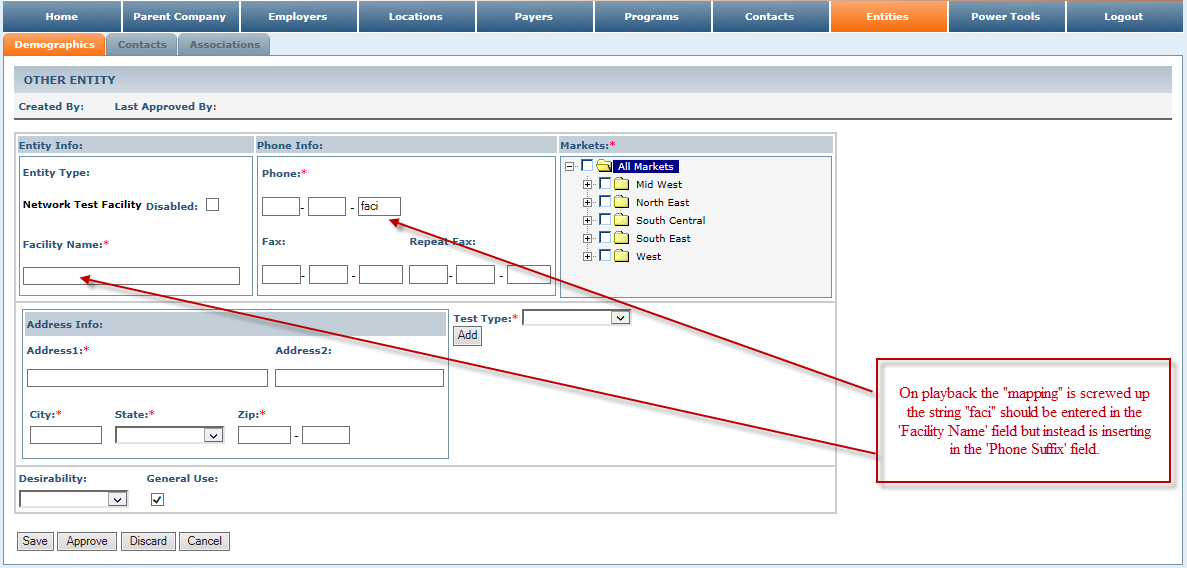
Seems you are auto mapping objects.
so it may be using properties that are common to both fields.
best solution is to delete all relevant mapping (which were mapped automatically) and do the mapping your own.
You can use "ObjectIdentifier" property equal to "phonNum"
to nameMap manually use object spy locate the object and right mouse click map object.
for more read this

tristaanogre
9 years agoEsteemed Contributor
No need necessarily to delete the mapping and redo it... you can edit an existing mapping, add properties, and change values from the name mapping page. But yes, the problem has to do with an inaccurate mapping criteria.
Letting TestComplete do the name mapping is a good start... but I would say something like 75% of the time, you need to edit what TestComplete maps to make sure that it's a unique mapping.
- AlexKaras9 years agoCommunity Hero
> you can edit an existing mapping [...]
https://support.smartbear.com/testcomplete/docs/testing-with/object-identification/name-mapping/managing/modifying/index.html for mode detailed description.