Forum Discussion

6 Replies
- Hi Kish,
As I understand, you need to click a link in an HTML table located in a specific row and the link itself cannot be identified uniquely (e.g. via its text or href). If so, you can do it this way:
1. Use the FindChild method to find a unique cell located in the row you need.
2. Use the Parent property to get the row object.
3. Call the FindChild method for the row object to find the only link with the needed text (or href) in this row.
As an alternative, you can enumerate all rows and cells in a loop until you find the link you need. To learn how to do this, please see the Parsing HTML Tables help topic.  kishContributorHi,
Thanks for your quick reply. I have tried , but TC is not clicking on the link in the cell.
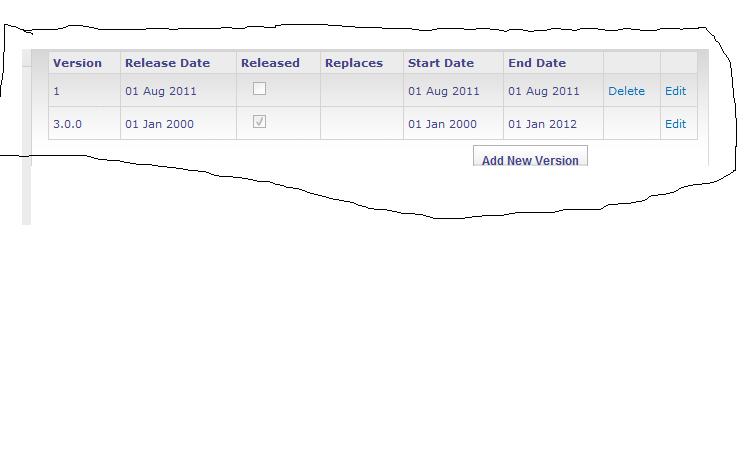
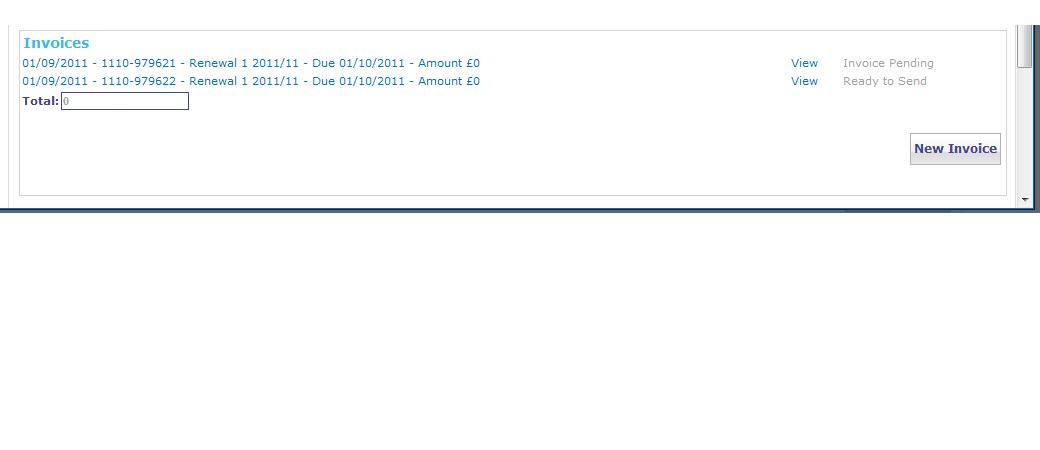
Attached the correct screenshot this time.
function CancelInvoice()
{
//Runner.CallMethod("AmendInvoice.AmendInvoice");
var invoicetable = NameMapping.Sys.IEXPLORE.pageCustomerrenewaldetails.panelMsDlgcontent_2.panelMsDlgborder.panelMsDlgframecontainer.frameDlgframecc7178db6cb84d9880b.formAspnetform.panelS4Workspace.panelS4Bodycontainer.panelS4Mainarea.panelMsoContenttable.panelS4Ba.panelMsBodyareacell.panelCtl00MsoContentdiv.panelContainer.panelOrderdetailszone.table.cellMsozonecellWebpartctl00MG65f.tableS4Wptoptable.cell.panelWebpartctl00MG65f23335Bacc4.panelCtl00MG65f23335Bacc48199973.panelCtl00MG65f23335Bacc48199973.panelCtl00MG65f23335Bacc48199973.panelCtl00MG65f23335Bacc48199973.panelCtl00MG65f23335Bacc48199973.panelCtl00MG65f23335Bacc48199973.tableCtl00MG65f23335Bacc48199973;
var count = invoicetable.RowCount;
Log.Message(count);
if(count>1)
{
for(i=0; i<(invoicetable.rows.length)-1; i++)
{
Log.Message(invoicetable.rows.length);
for (j = 0; j < invoicetable.rows.item(i).cells.length; j++)
{
Log.Message("Cell " + j + ": " + invoicetable.rows.item(i).cells(j).innerText);
var x = invoicetable.FindChild("innerText", "View", 1);
y = x.Parent;
if(y.Exists)
{
y.Click();
}
}
}
}
checked Additional information in the log. 'A click at point (493, 29) with no key pressed' is displayed.- Hi Kish,
Your script simply clicks the first row in which the "View" link is present (it doesn't even click the link, it clicks the entire row). Here is an improved version of the script:
function CancelInvoice()


{


  var invoicetable = NameMapping.Sys.IEXPLORE.pageCustomerrenewaldetails.panelMsDlgcontent_2.panelMsDlgborder.panelMsDlgframecontainer.frameDlgframecc7178db6cb84d9880b.formAspnetform.panelS4Workspace.panelS4Bodycontainer.panelS4Mainarea.panelMsoContenttable.panelS4Ba.panelMsBodyareacell.panelCtl00MsoContentdiv.panelContainer.panelOrderdetailszone.table.cellMsozonecellWebpartctl00MG65f.tableS4Wptoptable.cell.panelWebpartctl00MG65f23335Bacc4.panelCtl00MG65f23335Bacc48199973.panelCtl00MG65f23335Bacc48199973.panelCtl00MG65f23335Bacc48199973.panelCtl00MG65f23335Bacc48199973.panelCtl00MG65f23335Bacc48199973.panelCtl00MG65f23335Bacc48199973.tableCtl00MG65f23335Bacc48199973;


  for(i=0; i<invoicetable.rows.length; i++)


  {


    var isClickViewLinkInThisRow = false;


    for (j = 0; j < invoicetable.rows.item(i).cells.length; j++)


    {


      var cellText = invoicetable.rows.item(i).cells(j).innerText;


      Log.Message("Cell " + j + ": " + cellText);


      if (aqString.Compare(cellText, "Invoice Pending", false) == 0)


      {


        isClickViewLinkInThisRow = true;


      }


      if(aqString.Compare(cellText, "View", false) == 0 && isClickViewLinkInThisRow)


      {


        invoicetable.rows.item(i).cells(j).Click();


      }


    }


  }


}
I cannot test this code, because I have no access to your application, but it should work.
- kishContributor
Hi Kishore,
Well, it looks as if creating a sample without testing it with a real application is not a good approach :) I'll try to create a sample script which works with a publicly available web application with similar interface. The sample will be published in the How To section of our web site. When it's done, I'll post a link to the corresponding How To entry here.- Hi Kishore,
Here is a link to the sample script we created for this task:
Click a cell located in a specific HTML table row