Forum Discussion


Natasha_2012
9 years agoContributor
table object tell me the row is existing, but I cannot see as this row is off screen, need to scroll down manually to see. I need this row display on the screen, either click to view its properties or double click on it to open the content of that item. Each row just display the name of the item in my list
NisHera
9 years agoValued Contributor
If you need to just get the values you can use wValue(Row, Column, View) property of the grid.
If you like to scroll (in test) you can use scroll bar property https://support.smartbear.com/viewarticle/87235/
- Natasha_20129 years agoContributor
my table size is dynamic, and can be resized. I dont know exactly how many rows are invisible to user at a time. I dont know how many keys I need to type in to scroll up down and I dont know what rows are invisible at a certain point
I used to work in Coco Framwork for Mac and I just need to hold the view table object and row object. I know the position on the row and call the command scroll to that roll number. That row will be visible to me. I'm looking for something similar in TestComplete
- Natasha_20129 years agoContributor
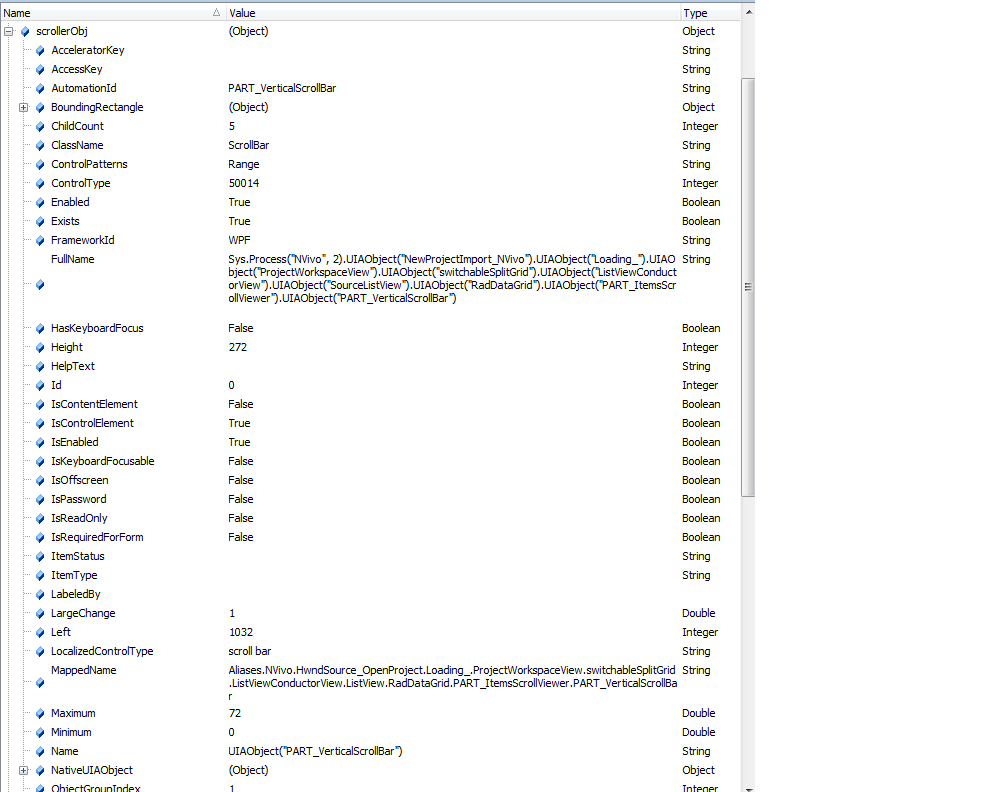
attached here is the properties of my scroller object from debuging mode. I cannot find any wvalue or wposition that you have mentioned.
- NisHera9 years agoValued Contributor
I assume wValue is a property of ....UIAObject("RadDataGrid")
also https://support.smartbear.com/viewarticle/86330/ would be useful for you since it does not bound to be visible
did something like below worked on dev Express Grid
function Test1()
{
  var myGrid = Aliases................VCLObject("cxGrid");
  for(i=0;i<myGrid.wRowCount(0);i++){
     if (myGrid.wValue(i,'Column Name',0)=='column value') {
       myGrid.ClickRowIndicator(i, 0);
     }
  }

}
Ps. Note this is time consuming......