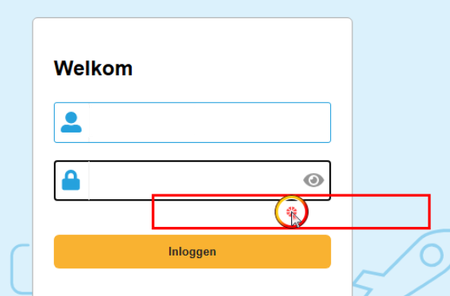
Elements detected, clicked in wrong location with Chrome


It seems that Smartbear found a solution (I created a ticket and they responded).
I also tried it out and it looks like it is working (but i did only a few tests).
To solve an Issue that appears after upgrading to Chrome version 145.
The issue is caused by a restrictive Google Chrome security policy. The active NativeMessagingAllowlist policy blocks all external communication modules that have not been explicitly authorized.
To resolve the issue, please take the following steps.
Update TestComplete to >= Version: 15.81.7.7 x64
To enable TestComplete functionality, the customer needs to add the SmartBear host to the Allowlist via directly in the Registry Editor:
Please Note Close TestComplete and Google Chrome before following this.
- Registry Path: HKLM\SOFTWARE\Policies\Google\Chrome\NativeMessagingAllowlist
- Policy Name: NativeMessagingAllowlist (If you do not have this folder, please add it manually.)
- Value Type: REG_SZ (String Value) - add new string
- Value Name: Next available number (e.g., 1)
- Value Data: smartbear.testcomplete.native_messaging_host
Then restart the Chrome browser.

They had me try the same back on March 2, and this did not resolve the issue for me at least. I also have a ticket logged and followed up on it yesterday, and the response was "our team has reproduced this behavior and is working on Chrome 145 problem".
I upgraded Chrome again today to the latest and double checked, but the issue is still occurring even with the RegKey in place.