Elements detected, clicked in wrong location with Chrome
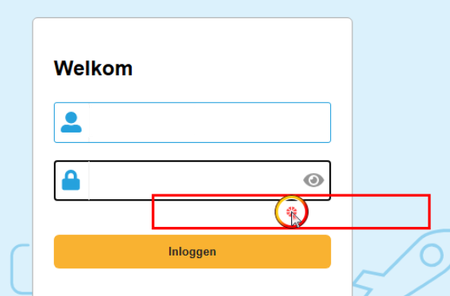


We seem to have the same problem since today on one machine.
Not sure what changed because TC Version and Chrome Version are still the same as it was before today.

 Champion Level 3
It's relating to Windows Scaling, it needs to be set to 100%.
See Testing With Various DPI Settings for more information.
 Champion Level 3
The issue could also be caused by incorrect element coordinates in Chrome on multi-monitor VM setups.
"If this resolves your scenario, marking it as the solution helps future readers find it quickly."
I forgot to mention, that scaling is already set to 100%.
It was the first thing we checked.
The behavior seems to appear only when we run Chrome from TestComplete via Browsers.Item[btChrome].Run().
If I start Chrome manually every is fine.
It also only happens on one machine. We are not able to reproduce it on other machines.
Champion Level 3Try remaining the folder %LocalAppData%\SmartBear\TestComplete (TC user settings), and then launch TestComplete
Launch Chrome via Browsers.Item[btChrome].Run(), and reset all your settings.
If the above fail to resolve your issue, then I can only suggest opening a support ticket.