Forum Discussion


djadhav
10 years agoRegular Contributor
Please attach a screenshot of the Object Browser showing the object and also showing the properties for that object when it is selected.

shailesh_singh
10 years agoOccasional Contributor
Please Find the attachment.
Thanks!!


- djadhav10 years agoRegular Contributor
In the namemapping, edit the identification properties to use:
1) ObjectType as Link
2) ContentText as Case Collections
Remove all other identification parameters.
- shailesh_singh10 years agoOccasional Contributor
Thanks,
I will try and let you know.
Thanks!!
- shailesh_singh10 years agoOccasional Contributor
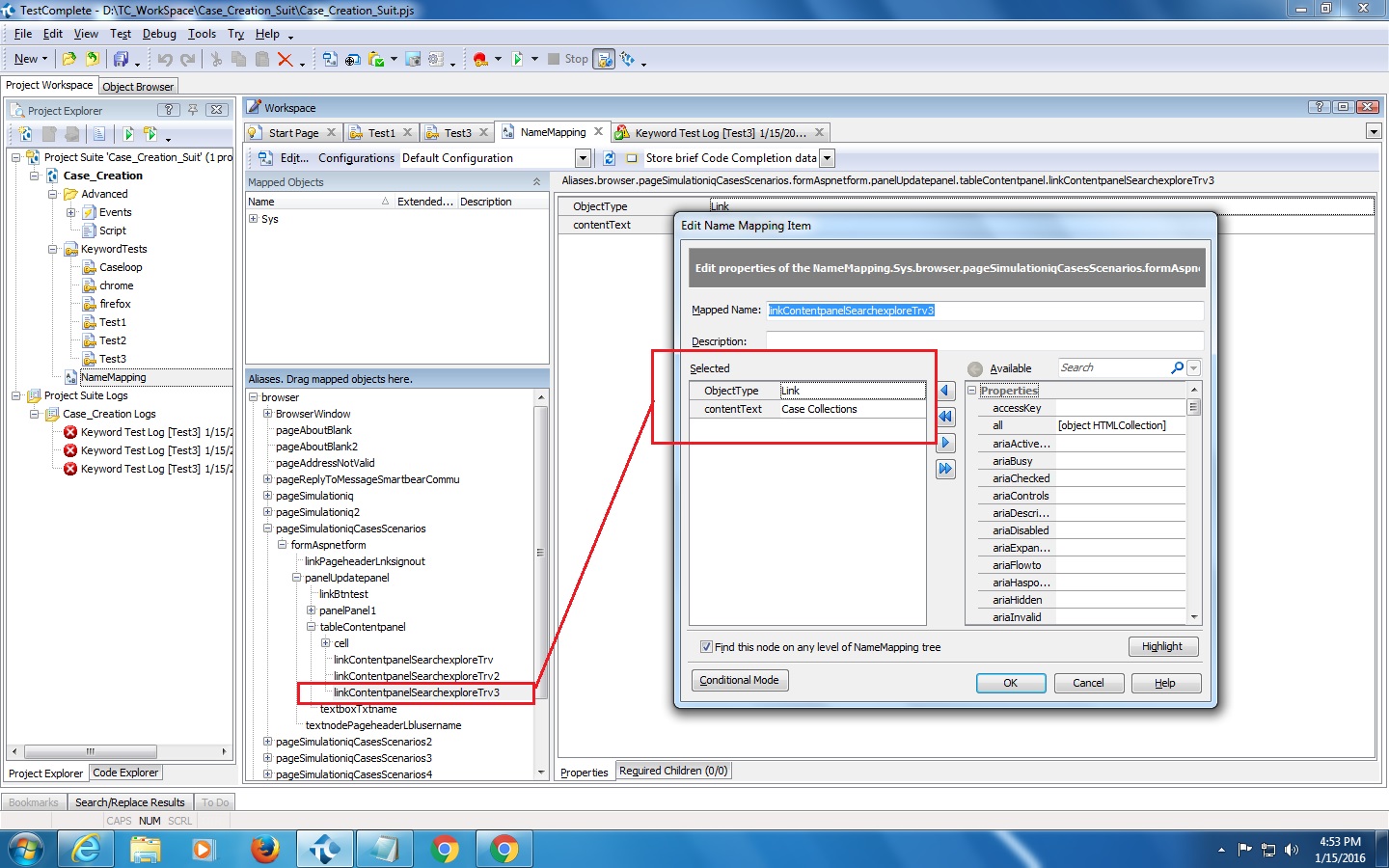
I edited the identification properties to use:
1) ObjectType as Link
2) ContentText as Case Collections
and try but not able to click that link.
screen attached of mapping (is it correct?)
Thanks!!
- djadhav10 years agoRegular Contributor
You have to check if the link and all the parent objects are being identified(you can use highlight object) after changing the namemapping.
Study this article. It'll help you understand NameMapping better: https://support.smartbear.com/viewarticle/75098/