Forum Discussion


shankar_r
8 years agoCommunity Hero
Hi,
For clicking an cell you can use yourGridObject.ClickCell(row,col)
Scenario #1:
If your "Truck 01" value can be anywhere in the grid in the sense it can be in col_1, row_1 or col_2, row_4 or col_6, row_3
You need to loop thru each and every cell and find out which cell has that value,
Scenario #2:
If your "Truck 01" value will be in the 2nd column of the table then you only need to loop thru rows not column and also there is a function called FindRow(col,colvalue) but not that will used in your AUT object.
Solutions:
function test()
{
      //if you don't know which column it has this value
      toClickTableCell("Truck 01");
      //if you know which column it has this value
      toClickTableCell1("Truck 01",2);
}
function toClickTableCell(valuetoFind)
{
      for(var i = 0 ; i < yourGridObject.wRowCount ; i++)
      {
            for(var j = 0 ; j < yourGridObject.wColumnCount ; j++)
            {
                  if(yourGridObject.wValue(i,j) == valuetoFind)
                  {
                        yourGridObject.ClickCell(i,j);
                        return true
                  }
            }
      }
      return false;
}
function toClickTableCell1(valuetoFind,col)
{
      for(var i = 0 ; i < yourGridObject.wRowCount ; i++)
      {
            if(yourGridObject.wValue(i,col) == valuetoFind)
            {
                  yourGridObject.ClickCell(i,j);
                  return true
            }
      }
      return false;
}

kandy1984
8 years agoContributor
Hi Shankar,
Thank you very much for the code. I have converted the script into vb script however, i keep on getting an error saying that the "Object doesnt support the property or method". I had to turn on the DevExpress.XtraGrid.GridControl in order to see the cell options. Therefore do i need to include extra code into the script for the object to be supported? I have attached the script.
Thanks for helping,
Sudha


- shankar_r8 years agoCommunity Hero
Hi,
I have given generic code for Data grid or Table, I guess Developer Express XtraGrid needs this in a different way.
TC have detailed documentation on the same with examples,
- kandy19848 years agoContributor
Hi Shankar R,
Thank you for that info. I have tried the code to search for records in Devexpress grid from this link that you gave me.
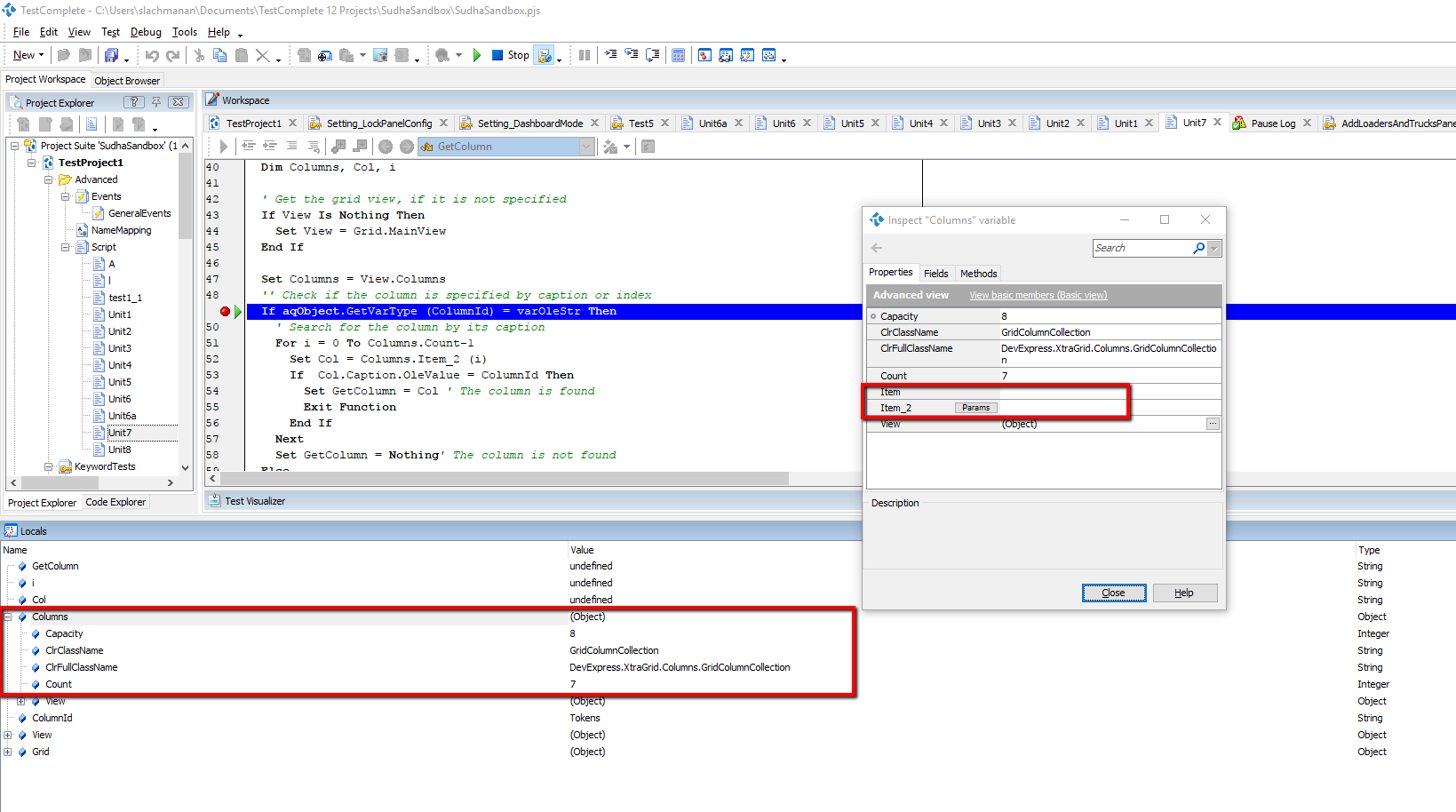
I have found out that the "Item" and "Item_2" is not appearing on the object during runtime which i need to find for the column name. How can i make it appear? The 2 items can be seen from the object properties. Do i need to set anything in TC?
Thanks.
- shankar_r8 years agoCommunity Hero
Hi,
I guess you won't see it in the RunTime as a method of that object, but you can access it.
Can you try to add watch as Columns.Item() or Columns.Item_2() and see what you got?