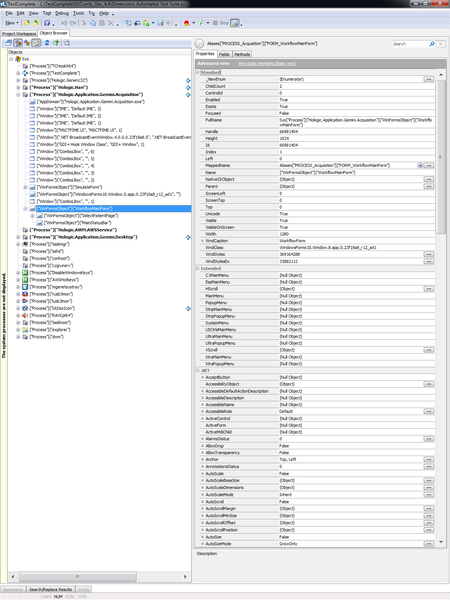
Application changes from WinFormsObject to Window


 Alumni
 Champion Level 3
We've seen this happen too. Can't duplicate it, but it usually happens at the end of a day when we've had TC open all day, so we were blaming it on a TC memory leak. It's happened for several versions now, but it's better in v11 than it was in v9.
Wish I could give you steps to duplicate...

Marsha_R has the right of it. It's not something I've been able to nail down but we've seen this dating back to TestComplete versions 2 and 3. The longer TC is open, the more controls it's working with, the more memory consumption until we get these kinds of strange behaviors.
Couple of things to try:
1) If you have a license, try running your tests via TestExecute and see if the same behavior occurs. TE has a smaller memory footprint as well as no need to keep up an IDE or debugging process so you might not see this problem.
2) In my experience, while it is related to TestComplete and the hooks it puts into your AUT, the memory leak is actually more in those hooks than in the TC IDE/Engines. Try breaking up your tests where you close down your application and re-open it at regular points to keep that memory consumption minimal.
3) Try breaking up your tests into multiple, smaller projects where you can run a smaller project for a shorter period of time. You can then structure your test runs from command line to run those projects in sequence rather than a single large project or a large project suite.
In the meantime, I'd open a support case with SmartBear to have them look into this. I know it's not easily reproduceable but, if you can describe what kind of application you're testing, what sort of code/controls you're using, etc., they can set up simulations or even give instructions on doing some profiling so they can determine the source of the leak.

As tristaanogre and Marsha_R said, Our AUT is JSwing Application some times when test complete and AUT is active for longer time, if try to capture a object from AUT it will say JSwing window as WinObject. But if i close both and retry it it will work.
However, it is not happening all the time and i tried to re-produce it but no luck.