Test Case Execution History
Update the Test Case Execution Tab History to display more details regarding the parent cycle containing that execution. Currently when reviewing the previous test case executions and attempting to track status history, you need to know the parent test cycle in question to draw proper insights. Currently we just display the Test Cycle Key which is not helpful. We should show the Test Cycle Name & Test Cycle Iteration & Test Cycle Release Version Fields such that we can understand the context about the executions all in one page.Display Test Cycle Name within Test Execution Tab
Currently - we only display the "Test Cycle" number within the Execution Tab when viewing a Test Case. We should automatically display the Test Cycle Name or at least provide the user the option to configure the columns displayed within this screen - in the scenario if they want to view the name of the "Test Cycle" since that provides more helpful context than the Test Cycle Number.'Test Cases' Tab does not allowed for filtering based on parent/associated Test Cycles
For Zephyr Scale: In the 'Test Cases' tab - users are allowed to bulk edit test cases. In fact, this is the only location within Zephyr Scale that users are allowed to bulk edit test cases. However - the filtering options within the Test Case tab lack the ability to filter/pull in test cases based on their presence in particular Test Cycles. Therefore - users are unable to bulk edit Test Cases that belong to/are associated with specific Test Cycles. This capability was available in Zephyr Squad for context (filtering by 'cyclename = ') - screenshot attached from Zephyr Squad for for reference.Bulk editing not available within Test Cycle - Test Cases Tab
Within the "Test Cases" tab - users are permitted to Bulk Edit via the "Edit Selected Test Cases In Bulk" option within the 'More' Dropdown. However - this same option is not available when navigating to the "Test Cycle" tab and selecting a Test Cycle and navigating to the "Test Cases" Tab. In that view - I am only able to Bulk Edit specific items such as "Environment, Tester, Release Version, and Iteration". Not clear why this is so limited. It would be very helpful to have the ability to bulk edit all the other aspects of the Test Case - in the same way that we can within the "Edit Selected Test Cases In Bulk" option within the 'More' Dropdown of the 'Test Cases' tab.Custom Fields not accessible within Test Cycle Viewer
When viewing Test Cases contained within a Test Cycle - users are allowed to filter by fields (screenshot attached). The list of fields available does not include custom fields. I am also unable to filter test cases directly within the 'Test Player" screen by Custom fields. Filtering by custom fields is only available within the "Test Case" tab.Unable to Filter Test Cases By Multiple Labels
Unable to filter cycles by multiple labels - Zephyr Scale seems to always use an "OR" condition/operator rather than an AND condition. As a result I cannot filter down the list of test cases based on a test case meeting more than one label criteria which greatly reduces the effectiveness of using labels. Note that this was not an issue on Zephyr Squad - which had the ability to filter via specific queries (JQL) which was very powerful (Labels = Label1 AND Labels = Label2) - Screenshot attached.
CSV-Import: Owner is mapped to Jira-userkey
During importing testcases we came across a big problem: When importing testcases from a csv-File to Zephyr the owner is mapped to the userkey in Jira. This is an unique ID which cannot be changed, but the displayed username can be different for example after changing the name (marriage etc.). So you sometimes cannot import the owner by the username even if it is displayed in the users profile. If you export a testcase the field owner also contains the Jira-userkey. This behaviour is misleading, so the field owner should be mapped to the username not the userkey. Is there any possibility to avoid this situation?12Views1like0Comments
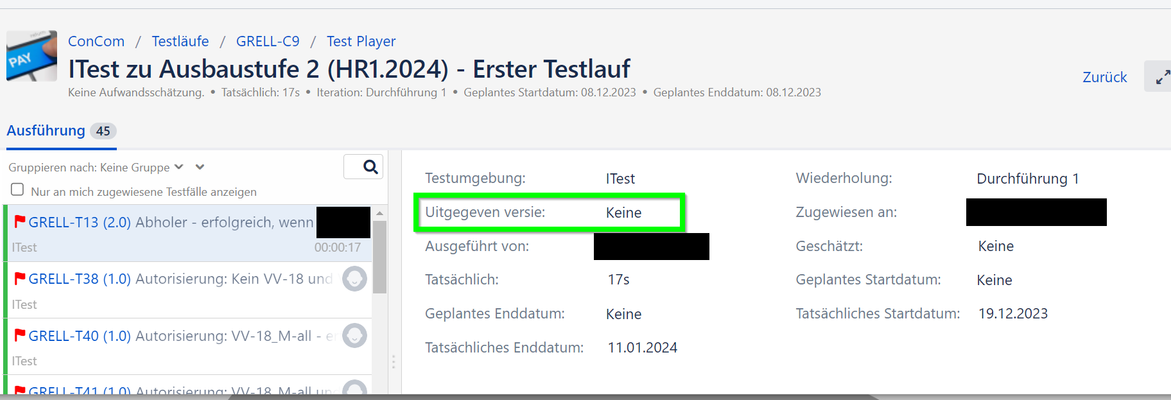
German localization does not always work correctly
As a user, I would like to see professional support for other languages. Incomplete translation is bad for user acceptance. In many places we currently find a mix of German and English. In one particular case even German and Dutch.16Views0likes0Comments