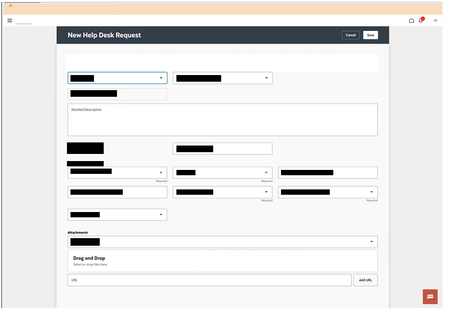
ContributionsMost RecentMost LikesSolutionsRe: page.PagePicture - Screenshot duplication Thank you for your response. To be honest, I have been dealing with this issue for quite some time and have tried various solutions suggested by AI tools. After each TestComplete upgrade, I revisit these solutions and test them again by uncommenting the relevant code in my scripts. I thought it would be best to reach out to the community (experienced users like yourself) to confirm whether I might have missed any workarounds that others may have discovered. I want to ensure I’ve explored all possible options before logging this as a bug, as I anticipate it could be a challenging and time-consuming process to identify and resolve. Re: page.PagePicture - Screenshot duplication Thanks, but that was the first thing I did. :( Options.Web.CSSTransitionForPagePicture (tested with both true and false) (as per above) - BTW the heading in OracleCloud Applications is not sticky. Re: page.PagePicture - Screenshot duplication I have also tried scrolling to the bottom of the screen then back up before taking the screenshot. Waiting for page to load. (aqUtils.Delay, Sys.Desktop.Refresh, page.BringToFront, Options.Run.Delay, page.ToUrl(page.URL), plus others ) Calculating its height and width values and passing those in instead of -1. Started at pixel 1 rather than 0 ie page.PagePicture(1,1,-1-1) All of which made no difference (I am now considering using other methods to perform a full page extract, but this required access to DotNet libraries or ImageMagic being installed. Ideally I do not want to do that). These types of issue are difficult to reproduce by others, making it hard to identify and fix. Especially if others have not experienced he same. However, any other suggestions or TC methods I can use would be gratefully received. Thanks In advance Re: page.PagePicture - Screenshot duplication Hi, Thank you for replying. I have tried the solution many times and as I stated this is an intermittent error no matter what settings I apply. Here are some redacted screen shots of what happens when I run the test several times without changing any code: Expected Output: Occasionally I will get this Unexpected output (with no changes in code): As you can see it is repeated [Note: I manually redacted data on the screenshot in obvious places for Data Protection reasons] Re: page.PagePicture - Screenshot duplication BTW TC Version is 15.76.5.7 x64 page.PagePicture - Screenshot duplication Hi everyone, I seem to have an intermittent issue when using the method page.PagePicture(0,0,-1,-1) with Oracle Cloud Applications. If I try to capture a screenshot of a full page (e.g., var shot = page.PagePicture(0,0,-1,-1)) where the canvas spans more than what is displayed onscreen, and then save that screenshot to Stores Regions (e.g., Regions.AddPicture(shot, "My Screenshot")), I will intermittently get a screenshot where the top part of the screen is duplicated, and the bottom is truncated. Rather than getting a full screenshot, the result is incomplete. As I mentioned, this issue is intermittent and seems to be related to the speed at which the webpage reacts to the page.PagePicture(0,0,-1,-1) method call. To address this, I’ve tried the following steps to slow down the process: aqUtils.Delay(3000); Options.Web.CSSTransitionForPagePicture (tested with both true and false) Options.Web.WebPageLoadingTimeout = 120000; Options.Run.Delay = 500; page.Wait(10000); page.Keys("[Esc]"); Unfortunately, none of these have resolved the issue. Questions: Am I missing any additional settings or methods that could help ensure the full page is captured consistently? Has anyone else experienced a similar issue with page.PagePicture(0,0,-1,-1) in Oracle Cloud Applications or other web applications? Any insights or suggestions would be greatly appreciated! Thank you in advance for your help. Re: TestComplete issues with Chrome 113 Personally, all I did was upgrade Edge Browser to 113.0.1774.42 and it all started working again (did not touch TestComplete) [I was, when it broke, and I'm still using, now its fixed TestComplete 15 v50]. So it looks like the changes made in the Edge Browser that caused the failure have now been resolved/reverted] Re: TestComplete issues with Chrome 113 For Edge Browser I have upgraded to 113.0.1774.42 and all is working fine 🙂 Re: Upgraded the Edge Browser to 113.0.1774.35 - Get Runtime Error loading webpage Hi, This morning I upgraded Edge to version 113.0.1774.42 and all now working Re: Upgraded the Edge Browser to 113.0.1774.35 - Get Runtime Error loading webpage Thank you - It looks like the same issue but it also impacts the Edge Version 113 as well (I had thought of switching to chrome - but it I also have V113 of Chrome 😣. But thank you I have raised an issue - but I suspect they will tell me it is a known issue (from looking at your note).