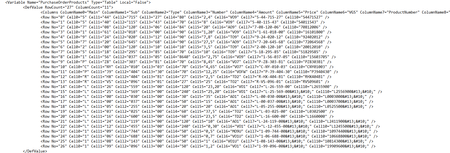
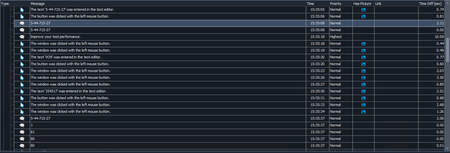
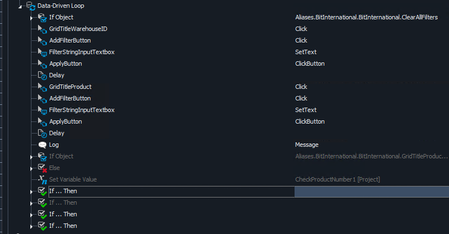
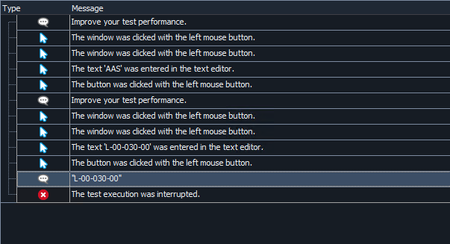
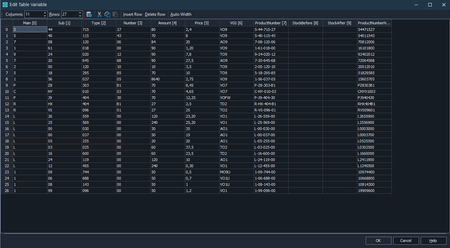
ContributionsMost RecentMost LikesSolutionsRe: Comparing table data in IF not working Thank you very much for all your help! Re: Comparing table data in IF not working Hahaha, you were right! Do I remove those things via Notepad++ and save the project file or in TC itself? Re: Comparing table data in IF not working What do you mean by including the "\r\n"? Where should I put it? When I put this in the IF it fails again. This is the data of the PurchaseOrderProducts I want to check. I do see that some have 
 and others do not. What does that even mean? Re: Comparing table data in IF not working Okay, so this is how my keyword test looks. I will generate 2 scripts, 1 will be back to it was before checking the columns, and 1 with the check enabled. Re: Comparing table data in IF not working Ah yes, I disabled the changes I made to test out my default code. The disabled code is the part that looks if there is a column with or without dashes, and store the product number in a variable. The IF at the bottom of the screenshot, is the check he should be doing because the product number is the same. Re: Comparing table data in IF not working Here is the output, as I can see there are no spaces. And remember, the first IF (supplierID BRA009) does work. Re: Comparing table data in IF not working Thank you very much! Here is the script. Re: Comparing table data in IF not working rraghvani no the data is just from the table. Marsha_R ah I haven't done it for both as the Value2 was already a string. Can try that too. And I did the aqConvert in my IF...Then as a code expression EDIT: The aqConvert in the IF is still not working. This is what I did. I added an extra variable just for the product number. This is the code in the IF Re: Comparing table data in IF not working Okay, noted. Any tips on how to find those hidden characters? This is my data format Column 7 and 10 are the ones I use for this specific check Re: Comparing table data in IF not working I ran the test were the check works and it looks like this. The first log is the value from the table data. The second log is the value from the variable. The other logs are what the check is supposed to do. As you can see for this specific scenario, it works I am going to run more purchase scenarios and see what the results are going to be. I still think it is strange.