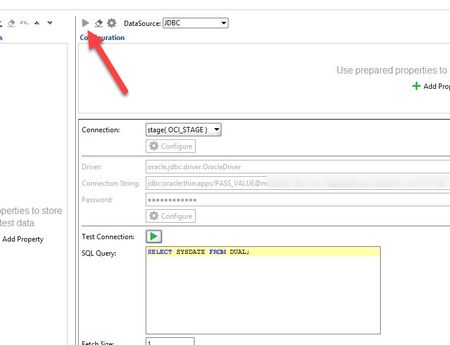
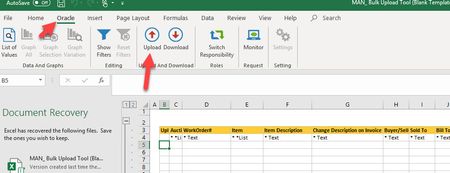
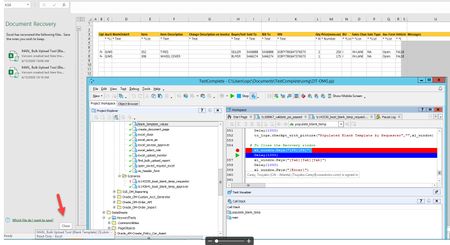
ContributionsMost RecentMost LikesSolutionsData Source Grid return random Is there a way to pull random row from Data Source Grid? I have 6 rows of data, and want to pull only 1 row - randomly. Thank you Re: ReadyAPI freezes when trying to connect to oracle database wow.. i am going to cry.. this worked perfectly. Thank you so much!! We are grilling right now, I wish I can fix you a plate! Thanks again!!!! Re: ReadyAPI freezes when trying to connect to oracle database So I tried putting the sql directly into the editable part.... but "run" button is grayed out 😭 and of course if I click on "Build Query" it locks up Meanwhile - i created a groovy script to connect to the database to do the querying... did not want to do that route .. as I wanted to make it user friendly for folks that are new to ReadyAPI (like myself) Re: ReadyAPI freezes when trying to connect to oracle database trying to just pull one record.. here is my sql statement below ... just simple query to get 1 active account_number but it just freezes up. SELECT DISTINCT c.account_number FROM hz_cust_accounts c , ra_customer_trx_all t WHERE 1=1 AND t.bill_to_customer_id = c.cust_account_id and t.creation_date > sysdate - 30 AND c.status = 'A' order by dbms_random.value() FETCH FIRST 1 ROW ONLY ReadyAPI freezes when trying to connect to oracle database Initial Test Connection works fine using oracle thin driver - however when I try to build a query... it just gets stuck and eventually ReadyAPI freezes and I have to end it from task manager. Any suggestion on how I can build a query from oracle database? SolvedRe: sending keystroke to Excel Reason why the Document Recovery screen shows up sometimes.. (I think) is when the test fails middle of entering data in Excel - it stops the test without saving. Then when I run again, Excel thinks the file was ended abruptly and hence gives that screen. The reason for the Excel is due to part of the Oracle functionality we are trying to test. Test is log in Oracle as a user, navigate to appropriate screen download the Excel, enter the data then there is an build in macro that uploads the file back to Oracle. It is giving user option to bulk upload the data into Oracle. Any suggestion on best way to do this? I am no expert in TestComplete so I am lost. Thanks Re: sending keystroke to Excel Hi Marsha We have a test where we have to open Excel then enter the data then upload to Oracle. Sometimes we get this Document Recovery screen (see attached screen shot) and there is not a short cut to close this screen. We tried to clicking the "close" button but sometimes ti works and sometimes it doesn't. Alternative way I found out that I can do F6 twice and TAB 3 times ..it navigates to close button. I could not find anywhere to have that option turned off, other than modify something in the registry (which I wanted to avoid). Any suggestion? Also, I am trying to do the "if" statement, if that Document Recovery screen is there then close the screen... If statement is not working either. Thank you for the help sending keystroke to Excel I am trying to send keystroke to Excel Screen but seems like it is not working. Sys.Process("EXCEL").Window("XLMAIN", "*", 1).Window("XLDESK", "", 1).Window("EXCEL7", "*", 1).Keys("[F6][F6]") I used this command but seems it's not sending at all. I'm new to Testcomplete ..any help would appreciate it. Thank you Solved