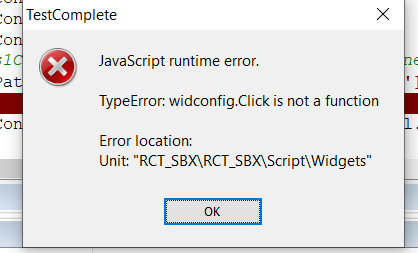
ContributionsMost RecentMost LikesSolutionsRe: How can i print API response in result doc My question is, I am getting result in console. But when we extract the report document then it gives the result as pass or fail only. Is there any way so that i can print the result in report as well. How can i print API response in result doc Hi, I want to print API response in Result. i am using script assertion Please find below code def response = context.expand( '${GetDeviceByEID#Response#$[\'status\']}' ) log.info(response) I want to print this response in result doc. But its only shown as pass. Is there any way in ready API so that i can print this values in result? SolvedRe: Findchildbyxpath in testcomplete Yes it works! Thank You Use of .getPropertyCSSValue() How to get the exact value of css style in testcomplete ? please check below image i want to get border-width as thin border-style as solid border color as rgba(0,0,0,0.87) border radius as 0px i am using .getPropertCSSValue() please check below code: var ObjectStyle = NameMapping.Sys.browser.pagePlus1Connect3.panelRoot.panel.panel.panel.panel.panel.panel.panel.panel.panel; Log.Message(ObjectStyle.style.getPropertyCSSValue("border-width")); getting error- SolvedFindchildbyxpath in testcomplete I am trying to click on the object which appears when we do mouse hover. But i am not able to click on it. Testcomplete fails to capture the unique object with recording so i am using xpath . please see below eg. NameMapping.Sys.browser.pagePlus1Connect3.panelRoot.panel.panel.panel.panel.panel.panel.panel.panel.HoverMouse(); let widconfig = page.FindChildByXPath("//span[@title='Widget configuration']",true); obj.Click(); Now here widconfig.Click() is not allowed. I am getting the error Solved