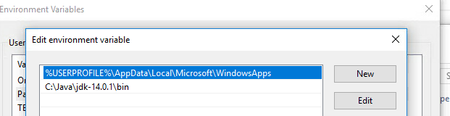
ContributionsMost RecentMost LikesSolutionsRe: ReadyAPI-x64-3.2.0 does not launch in WIN10 64 richieI clicked on accept solution and replied as with the solution. again I'm posting here 🙂 Solution: Is the java run time (jdk not jre as i remember i think some groovy needs libraries available only in the jdk not the jre) Yes issue has been fixed after remove default jre runtime and set to JDK. Thanks a lot Re: ReadyAPI-x64-3.2.0 does not launch in WIN10 64 you are a star richie Thanks a lot Solution: Is the java run time (jdk not jre as i remember i think some groovy needs libraries available only in the jdk not the jre) Yes issue has been fixed after remove default jre runtime and set to JDK. nmraoThank you for spoting default settings Re: ReadyAPI-x64-3.2.0 does not launch in WIN10 64 Hi richie,, Thank you for coming back with suggestions. I just noticed ReadyAPI disappear in "TaskManager" in less than few seconds. I installed JDK (jdk-14.0.1_windows-x64_bin.exe), and set to path variable as well. Am I missing something, please advise? Thanks, Srini Re: ReadyAPI-x64-3.2.0 does not launch in WIN10 64 I've downloaded Windows installer (64-bit) from the below url https://support.smartbear.com/downloads/readyapi/ Thanks, Srini Re: ReadyAPI-x64-3.2.0 does not launch in WIN10 64 Hi Rich, Thanks for the prompt response. 1. Its not an upgrade, I've same issue with both versions ReadyAPI-x64-3.1 and ReadyAPI-x64-3.2 2. Nothing appear in Taskbar related to ReadyAPI 3. soapui-settings.xml and default-soapui-workspace.xml files are not available, I cross checked after enable show hidden files and extensions. 4 I've local admin rights to install and to change folder permissions. One thing I noticed, If I click on batch file C:\SmartBear\ReadyAPI-3.2.0\bin\ready-api.bat, then launches but no use because nothing save ( projects including licence key info) after reopen through batch file. any other clues, please advise? Thanks, Srini ReadyAPI-x64-3.2.0 does not launch in WIN10 64 Hello friends, First time installation of ReadyAPI-x64-3.2.0 does not launch or Failed to start ReadyAPI in WIN10 64 I've gone through existing solutions but didn't match to my issue. There is no C:\Users\<UserName>\soapui-settings.xml file to update connection settings. There is no C:\Users\<UserName>\soapui-workspace.xml file to delete There are three files postgresql-9.3-1102.jdbc41.jar, sqljdbc42.jar and readme.txt only in C:\SmartBear\ReadyAPI-3.2.0\bin\ext could you please direct me to right solution. Thanks, Srini Solved