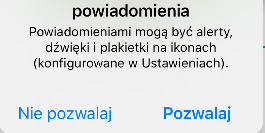
ContributionsMost RecentMost LikesSolutionsRe: Can I use on-screen action on iOS notification dialog sheet in TestComplete? Thanks for that, it's nice to hear that this is possible. I would love to know similar solution for iOS. Re: Can I use on-screen action on iOS notification dialog sheet in TestComplete? Hi, Yes and TestComplete can recognize all objects from my application. The issue is, that when the dialog sheet shows up, then I can't see screen of my phone (with application and dialog sheet on it) in "Show Mobile Screen" option. After I close dialog sheet I can see screen with application again. Can I use on-screen action on iOS notification dialog sheet in TestComplete? Hi, I have an issue with creating properly my first test of iOS application, because when I start app, I can see first screen of my application with iOS dialog sheet: But TestComplete doesn't show me the exact screen which I have on my phone. The question is - Can Testcomplete somehow recognize iOS dialog sheets? Can I use on them on-screen action since this is also part of my application? Thanks in advice. Kind regards, Adam Re: Android Object Testing - On-Screen Action "Drag..." option doesn't recognize objects anymore I got answer from support: "Our developers determined why the issue occurs - your app uses the controls which are not supported (androidx), and when TestComplete instruments such an app, it doesn't take into account the code which these controls add. Thus, we will need to make quite complex changes to the instrumentation process, this could take significant time - currently, we don't have any ETA when or whether we support such type of Android apps." They recomended anyway to instument my application by PatchServices.jar from source code: https://support.smartbear.com/testcomplete/docs/app-testing/mobile/android/preparing/instrumenting-apps/ide/android-studio.html My developers added this .lib and it finally starts recognize my objects in app :). So if your application uses "androidx" controls, instrumentation in TestComplete will be not enough, you will need do this by adding PatchServices.lib in source code. Kind regards, Adam Ryś Re: Android Object Testing - On-Screen Action "Drag..." option doesn't recognize objects anymore Hi sonya_m, I am still waiting for an answer. My problem has been escalated. If I will get any solution for this problem I will come back and write you what the reason for the error was. Kind regards, Adam Ryś Re: Android Object Testing - On-Screen Action "Drag..." option doesn't recognize objects anymore AlexKaras Thanks for quick response! App was created in Kotlin. I checked a lot of times if app is instrumented, since I know this is a key to object-based testing in TestComplete. It always returns "Your Android application is already instrumented". Screenshot attached. Kind regards, Adam Android Object Testing - On-Screen Action "Drag..." option doesn't recognize objects anymore Hi, I started Android application tests in TestComplete. I was struggling with devices and application preparation to start with object test. I did everything the same like here it was written: https://support.smartbear.com/testcomplete/docs/app-testing/mobile/android/preparing/index.html - Computer recognizes my device (Android 10 - Huawei Mate 20 Lite) - I got enable TestComplete Android Agent on this device - Testcomplete saying that application which I trying to test is already instrumented - After I click on "Show Mobile Screen", I see my device and my app on it. I tried to use "On-Screen Action" opperation with "Drag the target.." few times unsuccessfully. After this I clicked "Point and fix" option and I pressed (Ctrl+Shift+A) - that was a moment when I finally saw objects from application in those red rectangles. I prepared few actions on this app and next to it I run test (I had on my "actions queue" firstly "Run TestedApp" and below this, only "On-screen actions"). Application re-installed and test failed. I tried one more time do "On-Screen action" where i select objects, but since then I can't find out how to select objects instead of whole application screen when I use "On-screen action". Please help. Adam Solved