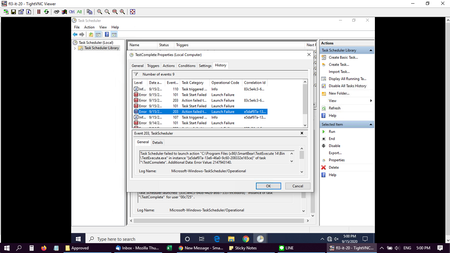
ContributionsMost RecentMost LikesSolutionsUsing Task Scheduler to schedule TestExecute runs does not work, Error "Action fail to start" Hi. I was setting up a scheduled task using Windows 10 task scheduler and following the steps on the Smartbear help page https://support.smartbear.com/testcomplete/docs/testing-with/running/scheduling.html#:~:text=In%20th.... Using path and argument :- Path : "C:\Program Files (x86)\SmartBear\TestExecute 14\Bin\TestExecute.exe" Argument : "D:\TimestampScript\TimeStamp.pjs" /r /e I also try to start the app without argument, but get the same error message SolvedRe: Keyword Test - How to verify data value in auto-generated table which contain auto-generated objectI Is it possible to use keyword test to get cells'value. I found only scripting example, but I 've no coding skill https://support.smartbear.com/testcomplete/docs/app-testing/web/general/examples/parsing-html-tables.html Thanks got an error message during run a script with excel data in TestExcute Hi got an error message during run a script with excel data in TestExcute JavaScript runtime error. The Microsoft Access database engine cannot open or write to the file ''. It is already opened exclusively by another user, or you need permission to view and write its data Error location: Unit: "DecemberPromotions\December\Script\PM_02" Line: 3 Column: 27. Keyword Test - How to verify data value in auto-generated table which contain auto-generated objectI Hi Keyword Test - How to verify data value in the auto-generated table which contains auto-generated objectID and objectName I tried verify property of the whole table and the system includes all expected value in the table. My question is how to verify the value row by row? Solved