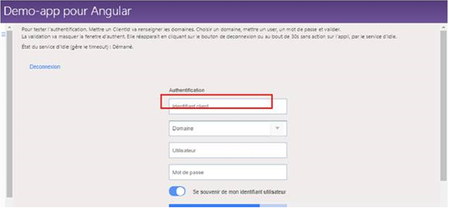
ContributionsMost RecentMost LikesSolutionsRe: Warning in distributedTest log Hi, We found the solution : I should uncheck the TestCase checkbox in my TestItem object and it work. Thank you SmartBear Support Team Florian ROY Re: size and location in the ObjectBrowser not corresponding of the real size and location Hi LinoTadros, Thank you for your quick reply, you're right, our developpers override the WPF zoom factor at the Cefsharp Initialization. If we reset the zoom factor in application, the object browser rectangle get the good position and size for the web object. Florian ROY size and location in the ObjectBrowser not corresponding of the real size and location Hello Smartbear Community, I have a problem with the object Browser when I want to target a web object contained in WPF windows via cefsharp. When I target a web component in TestComplete with the Object Browser, the red rectangle (HigthlightObject) is not at a good position and don’t have the good size. Moreover, this shift disrupts tests execution, because clicks can be executed outside of the rendered control. Context : We used the 14.20.2175.7 version of TestComplete. We want to implement, with Testcomplete, a test in a web application developed with Angular, and integrated in WPF windows with the “CefSharp” component v71.0.0.0. We launch our application with the “-injectCefHook” argument to see the web object in the object Browser. Problem : When I target a web component, the red rectangle is shifted, compared to the real component coordinates. In the Object Browser, I found the same behavior, I can see just a part of the targeted component. Does someone encounter a similar problem? Florian ROY Solved