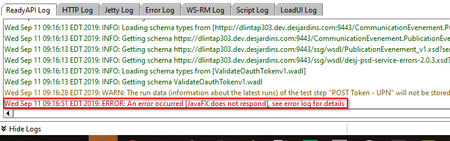
ContributionsMost RecentMost LikesSolutions[Floating licence / ProtectionLS] Cannot create HTTPS service for floating server Hello, I'm having lots of trouble while setting up a fresh install of Protection Licence Server tool on a Linux Ubuntu environment. Everything looks fine, until my script calls the Licence Manager to retrieve the floating licence. The command in my SHELL script : java -jar /ready-api-license-manager/ready-api-license-manager.jar -s DISTANT_IP:1099 -c The following errors occurs : Reason: Failed to create HTTPS service for floating license server. I understand the error but I cannot see why this is happening I successfully installed and started Protection LS tool on my distant host as you can see : ... 2021-01-13 16:44:48,954 INFO [main] - STARTING managementSupport 2021-01-13 16:44:49,180 INFO [main] - STARTED managementSupport 2021-01-13 16:44:49,658 INFO [main] - STARTED 2021-01-13 16:44:49,702 INFO [main] - BOUND: rmi://localhost:1099/LicensingServer The logs above are from the Protection LS v4.9.0 which is working fine on another server (EDIT: with an older v1.2.8 version of the licence-manager. It's not working with the latest 1.3.2). I also tried with Protection LS v4.9.4/v5.3.1 and I observed the same issue. For the versions 4.9.4/5.3.1, I had to use a different port in the server.xml file (<module id="httpInterfaceModule" securePort="443"/>) since 443 was already used by our nginx. Any idea why this error happens ? Thanks Fabien SolvedRe: ReadyApi 2.8.2 - First test case results keeps hanging for arbitrary amount of time on FIRST start Hi JoostDG It worked for me aswell! Thanks a lot for sharing your workaround, it gonna save me lots of time... :) Will keep you updated if the problem comes back. Have a good one! Re: ReadyApi 2.8.2 - First test case results keeps hanging for arbitrary amount of time on FIRST start Hi JoostDG , I encounter the same problem on my ReadyAPI 2.8.0 instance. It happens everytime on my first launch and I can't process through any of the following actions : Import project Reload project Run test case Save project etc. Each time, an IllegalStateException: JavaFX doest not respond is thrown in the Error Log. After waiting quite a long time, around 20min, it magically works fine without errors. I also tried lots of optimization tuning as toying with -Xmx or adding -Dsoapui.jxbrowser.disabled=true in ReadyAPI.vmoptions file but nothing works. It seems to happen to lots of ReadyAPI users and it would be nice to have a workaround or a fix on this one because we can't afford to wait 20min-ish of our time for ReadyAPI to be functional at startup. Thanks. Fabien