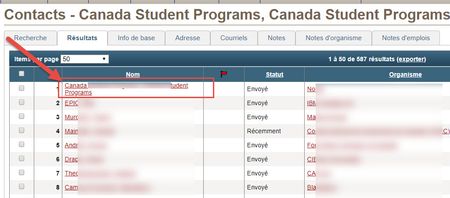
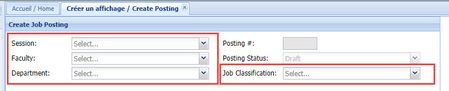
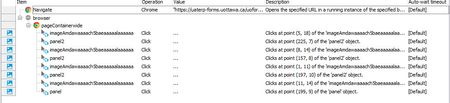
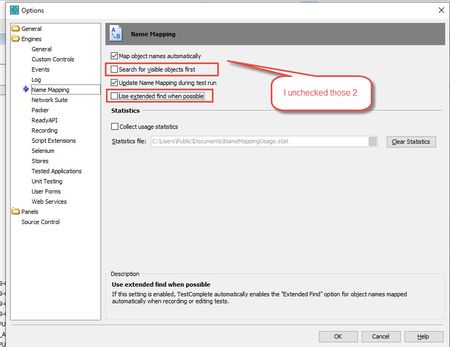
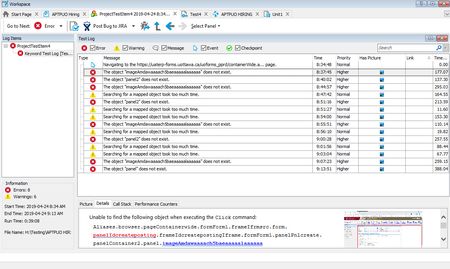
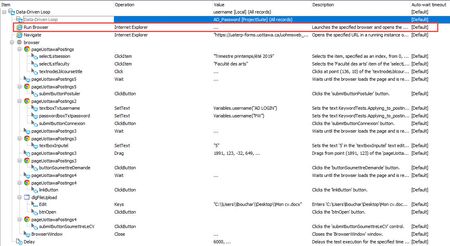
ContributionsMost RecentMost LikesSolutionsRe: Testobject.Click doesnt always work Yes I have the same problem. One of my test involves search for a contact. Then when I get the results, I click on the contact name and it should open the contact basic profile information. But I have noticed that when I run my test and it happens that the first contact appearing on the list of contacts found has an hyperlink with more than one line, the click does not work on my test. Re: Keyword Test_Current date text field is prepopulated with today's date_how to validate the value Hello, What would be the syntax to check a a datetime value in the following format : 2019-07-26 13:19 Thanks Lynne Re: ComboBox item selected ok but get an error anyway Unfortunately, I am very new at this. I have no previous experience of any testing software. And I am not a programmer therefore, playing with name mapping is not easily done on my part. Re: ComboBox item selected ok but get an error anyway I have modified the settings and tried to record a new test. Here's a snapshot of my current settings. But still ended up with this after I record the test. ComboBox item selected ok but get an error anyway Hello I have recorded the steps of a test that should do a select value of 4 different fields. Here is a snaphot of the application. Here is what the TestComplete version 14 recorded in the steps. TestComplete does not recognize the fields as object but more as images. Here is what the log is showing after i have tried to run the test : SolvedRe: Turn off warning "An object recognition hint" when calling Exists/WaitProperty("E Here is a snapshot of the log from the test run. Re: Turn off warning "An object recognition hint" when calling Exists/WaitProperty("E I am very new with Testcomplete and I am also getting the same warning. I have create a keyword test for a .net application and when I try to run the test I am always getting Preparing an object recognition hint. I am testing with Chrome Version 73.0.3683.103 and TestComplete version 14.0.308.7 x64. I have read some of the answers but because I am very new at this I do not know how to implement the proposed solution. Here is a snapshot of my code. It does not seem to recognize the fields on the form, it only recognizes the fields as image! Re: TestComplete 14 will not lauch Firefox 66 if browser is not already open - Hello I solved the problem by adding the run browser step in my program. Here is a picture of my code. Now my next step to try to do an automated crossbrowser test. TestComplete 14 will not lauch Firefox 66 if browser is not already open - I am very new with TestComplete, I have only started to use it last week. I have created a data driven loop to looks in an Excel for login credentials. I am able to run this test using Chrome but it won't work with Firefox 66. I did a search through this community board and clicked on the Solution provided by the community. I closed TestComplete. Downloaded the patch and unzipped it. I have then copied and replaced the dll files with the existing one. Reopened TestComplete and the test still does not run; I am still getting the same error message : JUnable to find the object Sys.Browser("firefox"). See Details for additional information. Solved