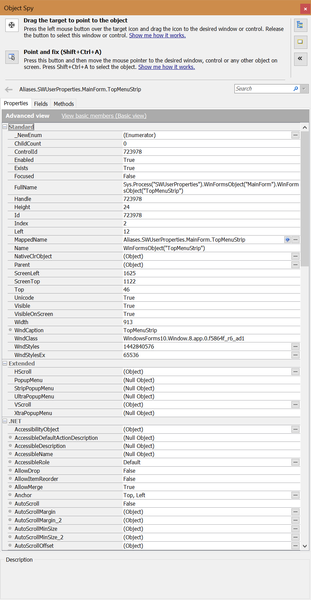
ContributionsMost RecentMost LikesSolutionsRe: Unable to obtain the popup menu for item during playback Oh sorry I misunderstood. The clicking code is: mainForm.StripMainMenu.Click("File|Print") When the code was not working it looked as though the File menu option was being hovered but never clicked. Re: Unable to obtain the popup menu for item during playback Click actions are as follows: def Click(ClientX = -1, ClientY = -1, Shift = 0) Re: Unable to obtain the popup menu for item during playback The real issue was windows scaling. I was able to get the tests to work again on the 4k monitor by changing the application compatibility properties for Override high DPI scaling behavior. Re: Unable to obtain the popup menu for item during playback Turns out the monitor size was the problem. The computer has 1x 4k and 1x 1080 and menus interact correctly when launched from the 1080 side. Re: Unable to obtain the popup menu for item during playback Sorry to say I tried that yesterday, and again today, to try to get it to work without any luck. Error log says 'Cannot obtain the popup menu for item 0." For sanity's sake I tried old builds of our software as well and I still encounter the same issue. Re: Unable to obtain the popup menu for item during playback No luck. StripPopupMenu doesn't have any attributes attached to it. When I try recording a script using the objects it is returning the same mainform.StripMainMenu.Click() as earlier. Re: Unable to obtain the popup menu for item during playback Not sure if there's a better way to do it, but here's some quick screen shots: Unable to obtain the popup menu for item during playback Hey all, I'm currently migrating TestComplete scripts to a new environment and the .net applications are having difficulties with menu items. The log error messages are "Cannot obtain the popup menu for item 'File'" and the code is simply checking different menu items. UserProperties = Aliases.UserProperties mainForm = UserProperties.MainForm mainForm.StripMainMenu.Click("File|Import") The old environment where things were working was a Windows 7 virtual machine running TestComplete 11, and the new one is Windows 10 running TestComplete 12. I've tried remapping and recording new tests but nothing seems to be working. Other parts of the application are still working fine. Any ideas on what I can try?