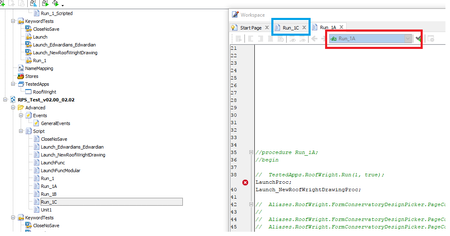
ContributionsMost RecentMost LikesSolutionsRe: Using Delphi Script - gDifference := aqDateTime.TimeInterval(gTimeStart, gTimeEnd); aqConvert.TimeIn Sorry to duplicate - relatively new user - your guys came up with answer and very quickly many thanks. Will ask you first next time. Re: Using Delphi Script - gDifference := aqDateTime.TimeInterval(gTimeStart, gTimeEnd); aqConvert.TimeIn Excellent using the NOW parameter fixed the issue - please see example as below: Starting at - 180424_170500 Ending at - 180425_050207 Elapsed duration for script in Days:Hours:Minutes:Seconds format: 0:11:57:07 Re: Using Delphi Script - gDifference := aqDateTime.TimeInterval(gTimeStart, gTimeEnd); aqConvert.TimeIn Note - I have also logged this on the main Smart Bear site - ref 00291235 Using Delphi Script - gDifference := aqDateTime.TimeInterval(gTimeStart, gTimeEnd); aqConvert.TimeIn Using Delphi Script: gDifference := aqDateTime.TimeInterval(gTimeStart, gTimeEnd); aqConvert.TimeIntervalToStr(gDifference) When the start and end time runs past midnight the result appears to be the 24 hours minus the difference e.g. Starting at - 180413_155526 - approx 15:55 previous day Ending at - 180414_011324 - approx 01:11 next day Elapsed duration for script in Days:Hours:Minutes:Seconds format: 0:14:42:02 But actual elapsed time more like 10 hours. SolvedFloating licence - downloaded and installed TestComplete 12.42.3048.7 - where is download file? Floating licence - downloaded and installed TestComplete 12.42.3048.7 This took 2 hours on my machine. As we are on Floating Licence would ideally like to copy the upgrade file to other users but cannot find the file. Is this available locally or deleted after upgrade completed? Delphi Script - I have multiple items in Script folder - how do I just run one of them Trying to run "Run_1C" but actually running "Run_1A" Solved