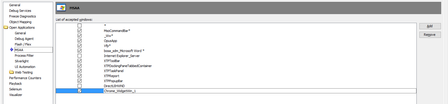
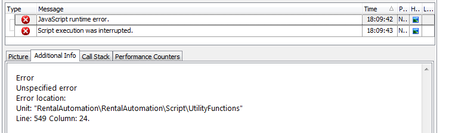
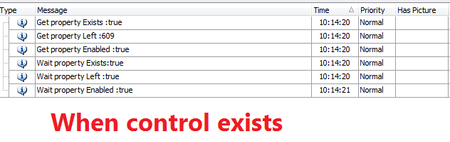
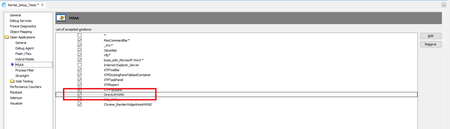
ContributionsMost RecentMost LikesSolutionsHow to get the object which is interacting in Error event Hi all, Do we have any way to get the object which TestComplete is interacting in Log Error event or not? Thanks. Re: How to Identify the Save Button in the IE Download Dialog box To identify and capture Save button in the IE download dialog box, you must add class "DirectUIHWND" in list MSAA of project. Please below image for more details. Re: Turn off completely object recognition hints I totally agree with bo_roop. We are using "WaitProperty" action with "Exists" property to make sure that that popup/window/control disappeared. But sometimes, we must be received "object recognition hints" warning. We considered changing to use the "wait alias child" with "Exists" property but the performance of action "WaitAliasChild" is slower than "WaitProperty" Re: Some MSAA controls cannot be recognized on Chrome when windows is maximized Yes, currently, we are using "Wait" action as a workaround solution. However, sometimes, it still moves on next action although page is still loading. Re: Some MSAA controls cannot be recognized on Chrome when windows is maximized Certainly, we don't test the reload button of the browser. Our AUT load data without any signal on GUI so we need to use the Reload button of Chrome to determine whenever page loaded completely before moving on next steps. Some MSAA controls cannot be recognized on Chrome when windows is maximized Hi all, We are using MSAA to capture Reload button of Chrome windows. However, on TestComplete 12.42.3048.7 x64, this button cannot be recognized when the state of Chrome window is maximized. How can help us determine this? Thanks. Chrome version: 63.0.3239.108 Re: Issue with Chrome and ClickItem Could you send me the patch? We installed version 12.41 but don't know why this issue happened. We did not face with it before. Re: Issue with Chrome and ClickItem In my cases, TestComplete seems only click on central of popup to close popup instead of clicking on coordinate of item :( However, it only happens on one of 8 our PCs. Could you have any solution to fix this issue :( TestComplete version: 12.41.2879.7 Google chrome version 62.0.3202.89 OS: Windows 10 64bit Testcomplete return "JavaScript runtime error." when using dispatchEvent to firevent on chrome Hi all, We use "set property value" and fire event "onchange" to select item in combobox. However, Test complete returned runtime error when "onchange" process take a lot of time (about 10s). As my observation, the item on combobox is selected, and "onchange" process will finish after Test complete returned "Runtime error" in several seconds. Please help me determine this issue? aqObject.SetPropertyValue(controlAlias, "selectedIndex", selectItemIndex); let elementEvent = controlAlias.ownerDocument.createEvent("HTMLEvents"); elementEvent.initEvent("change", true, true); controlAlias.dispatchEvent(elementEvent); Re: WaitProperty always return false when using with "Exists" property and timeout = 0 Hi Shankar, This does not happen when I set the time out to other values (E.g time out = 100). However, action will take a few seconds before returning "false" when this control does not appear. Value of auto-wait timeout setting is also 100. Below are results when I set time out = 100 Thanks.