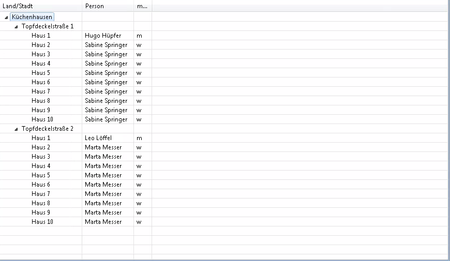
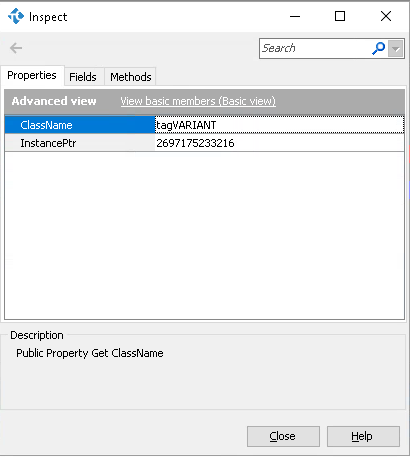
ContributionsMost RecentMost LikesSolutionsSupport for JFace TreeViewer with columns Right now TestComplete supports this control as a Tree. However with the control containing columns(it is a hybrid of Table and Tree controls), getting all the column details for a specific tree item is very tedious. It would be very helpful if this control is supported as a Table as well. Attaching the control's documentation: http://help.eclipse.org/kepler/topic/org.eclipse.platform.doc.isv/reference/api/org/eclipse/swt/widgets/Tree.html Upon looking into this documentation found that GetItems method can used to retrieve all the root level tree-items. I think TestComplete can use this method in supporting this control(Like how its supporting JFace TableViewer). Attaching the sample screenshot of the control: For SPR32X80_SpreadSheet, GetText method(ActiveX) returns differently on different OS Hi, I am trying to automate SPR32X80_SpreadSheet and this object is of ActiveX type. I use GetText method to retreive text based on row index and column index. However, In windows 7 and windows 10 this method is returning an object but in windows server 2012 it is returning the value directly(not as a object). Attaching the screen captures of both the scenarios. And this scenario is also seen with other methods like ScriptGetCellPos,ScriptGetBottomRightCel.l Can anyone help me understand this peculiar scenario? Thanks, Rajesh Not able to know the object details through inspect Hi, I am trying to automate a grid for which I need to make use of the columnheader for which I am using get_columntext to retreive the column header. WndClass of the object - SftTreeOCX70SoftelvdmInc I have a case where one specific input I am not able to see object's properties through inspect. I have attached 3 images in which you can see when the input for get_columntext is 3, I can't find the returned object details of this function whereas all other valid inputs I can check the object details. When I run Set columntext =guiObject.get_ColumnText(3) columntext contains a object, since I don't know what properties it contains I can't use this object. Can someone help me with this. Am I looking it the wrong way or is this an issue? Regards, Rajesh Raghunathan Re: Find Child is taking lot of time to execute Hi Robert, For your question.. It is not just the first time where it is taking a long time, every time I run the code it is taking time. And for the threshold on the number of rows, I'm not sure on this. #Scenario 1 I tried executing the find child method with number of rows as 4. The method executed quickly (2-3 seconds) #Scenario 2 I increased the number of rows to 40 and executed the same method. This time it took longer time (10-15 seconds) Also, I tried the same test on a different application but with the same grid (XTPReport). It is taking a long time in this case also. Thanks! -Rajesh Find Child is taking lot of time to execute I am currently using find child function to find the row object of XTPReport grid. The code looks like this aProperty(0) = "ControlIndex" aValue(0) = nRow Set guiRow = guiParent.FindChild(aProperty, aValue, 0, True) For which it is taking around 10-15 seconds. But when the number of children objects are less, it executes quickly. I have also attached the screenshot of the object's tree from the object browser It would be great if someone help me out with this problem. Thanks! Re: In SftTreeControl32OCX Grid, How to click on a column which is not visible I have investigated on the object and found a method called makeColumnVisible which would bring the column into the screen such that the column's end would be the end of the grid. My logic to find the center of that column is X= objectWidth - 20 - (columnWidth / 2) I have subtracted 20 because that is the width of the scroll bar which I manually calculated. So how would I get this value without hard-coding it? Thanks In SftTreeControl32OCX Grid, How to click on a column which is not visible I'm working on SftTreeControl32OCX Grid, The properties that are useful for finding a column and performing a horizontal scroll are column width,object width and HScroll. Using these how do I find the column which is not visible on screen. In SftTreeControl32OCX Grid, How to calculate total width excluding scrollbar's width? I'm working on SftTreeControl32OCX in which the property Width is returning the entire width of the object. This includes the grid's width and the scrollbar's width. I need to calculate just the grid's width