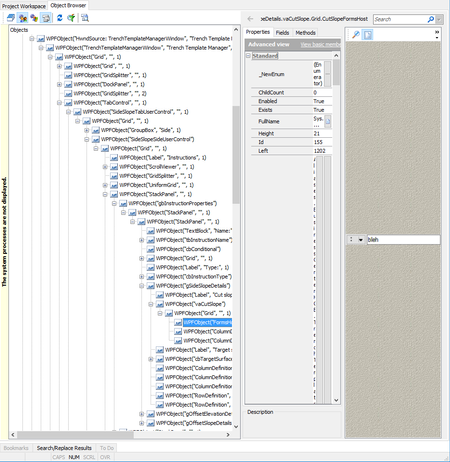
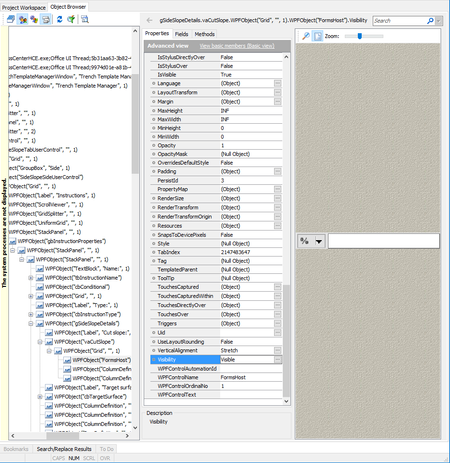
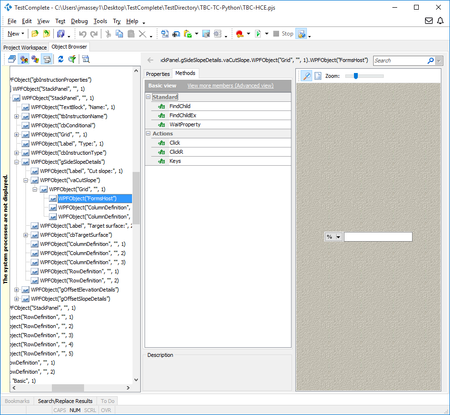
ContributionsMost RecentMost LikesSolutionsRe: Automate Windows Forms controls in WPF FormsHost So I think after much more poking around and enlisting the help of one of the devs, I think (hope!) that I've got this all sorted. Thanks Marsha and Robert for the help. - First / most important thing: What I hadn't noticed is that that all of these controls are listed twice in the object browser: This is obviously much, much easier to get at. I can also use 'Keys' or 'SetText' on the textbox like I'd expect to. Huzzah! - I was actually eventually able to find a property I could dig through to get at these in the first listing - under (FormsHost).NativeClrObject.Child, and from there digging through layers of controls, to get to them. Luckily, now I know I don't need to do that, but at least I can keep it in mind in the future. - For some reason that the person currently working on this new form doesn't know (they didn't make the original control), that dropdown is actually a menu button. When I record a script, it just clicks on the button, and then records a coordinate click. However, I can directly set a property on the parent control to switch between options of the dropdown, so that will get me 'good enough' for now. So the main lesson learned here was knowing to look for the top-level (below the window) 'WinFormsAdapter' entries in Object Browser, instead of working down through the tree like for most objects. And then the secondary thing was the unusual menu button. Re: Automate Windows Forms controls in WPF FormsHost I've dug through all the properties and haven't seen anything that looks useful for getting at the individual controls. I can't even see anywhere where I might be able to pull out their individual dimensions / coordinates, or get a listing of the selections in the combobox or directly set which index is its current selection, or anything. The frustrating thing, like I say, is that in other, older parts of the app where these WinForms controls stand on their own, I can automate them just fine. But something about them being wrapped in the WPF Windows Forms Host just makes everything below that opaque. I'll paste in here for you to look at, though: Automate Windows Forms controls in WPF FormsHost I think maybe this narrower problem might be all I really need to get addressed, vs the more complex question I asked the other day: We have in our app some old Windows Forms custom controls that are mostly just compositions of some simple controls, e.g. a combobox and a textbox together. In the purely Windows Forms parts of the app, when TestComplete finds these controls, it can dig down in and automate each component control properly, so e.g. I can 'ClickItem' on the combobox and 'SetText' on the textbox. However, in some newer parts of the application, we are moving to WPF, and in order to be able to continue using these old custom controls (so that 'look and feel' / functionality is consistent), they are placed inside a Windows Forms Host control. The problem is that Object Browser will not drill down any deeper than the WPFObject("FormsHost"), so I can't really automate the control beyond doing coordinate clicks on the parent window. That will get me by when it's a textbox, but it makes things like a combobox very painful to automate. Is there any way to fix this, and get TestComplete to recognize the individual controls being hosted by the FormsHost? I know that it knows how to work with them when they're not in the FormsHost, and the FormsHost is not itself any kind of custom or weird thing. It seems like this should work. Here's a quick screenshot so you can see the type of thing that I mean: SolvedRe: Property of mapped object available in one project, not others I think you probably mean to use .Exists instead of .Visible. Try that instead. If it does return True on .Exists, you could then check if the object is Visible. But WaitAliasChild only returns the object if the object exists, so when the popup doesn't happen, there is nothing for you to check the Visible property on. Re: Search through Object Mapping in Current Project Properties I am talking about Object Mapping, not Name Mapping. Tools -> Current Project Properties -> Object Mapping; the place where you tell TestComplete to treat such-and-such custom control as if it were an Infragistics UltraGrid or what have you. Is there a way to search in there to see which custom mappings I have done? And then, on the alternative, in Name Mapping / Object Browser - I have two different controls in different parts of the app. One of them is a WinForms custom control. TestComplete is able to automate this custom control correctly. It is basically just a combination of one or two icons/buttons and a text box with some special functionality. TestComplete is able to identify the different components and automate them correctly, with .e.g 'SetText' on the textbox and so on. The new control - the one that is giving me problems - is this same exact control, but since we're now transitioning to WPF, it's tucked up inside a WinFormsHost. TestComplete is unable to dig down any deeper than the WPFObject("FormsHost"). It cannot distinguish between the button and the text box. I was hoping that I could find out what it is that TestComplete is recognizing the control as in the old version, and then apply that mapping to the new one - but I cannot just overwrite the old with the new. Both are in use in the software at current, and are in completely different locations. A different (but possibly related?) problem I am having with these controls - and only these controls, in the entire form, which has many - is that TestComplete has 'VisibleOnScreen' set False, even though they are clearly visible and not obscured by anything else. There are 3 controls on this particular Grid container, two of these that are giving me trouble, plus one ComboBox. The CB works fine, but TC refuses to operate on the FormsHost-contained custom controls; I've had to resort to calculating their positions relative to the dialog window and then using coordinate clicks and keypresses targeted directly to the window. This is getting me by, but it's obviously not ideal. I would like to find a way to get this working properly. Search through Object Mapping in Current Project Properties Is there a way to search Object Mapping? I have a fairly simple custom control (to the extent that I or TestComplete care, it's just a textbox and an icon - the rest is just input validation stuff) that works fine in WinForms, but the latest UI in our software is being done in WPF, and there is a WPF wrapper around that same custom control. This is making TestComplete unable to dig down into the control. I think I may have mapped the old custom control to something else, but I can't seem to find it. Is there a way to see what custom mappings I've done? Or search for a classname in Object Mapping? Or alternatively, if I haven't mapped it to anything and TestComplete is just figuring it out for itself, is there a way that I can tell in ObjectBrowser what type of control a custom control is being interpreted as, so that I can then go explicitly plug in that mapping for the WPF version? TestExecute - Notify when running project created with newer version of TestComplete I updated TestComplete to 12.3, but forgot to also update TestExecute on my test machines. It does not automatically try to update from 12.2 to 12.3 on startup, and even manually telling TestExecute 12.2 to check for updates will not suggest 12.3. In one of my test scripts, I was using a feature newly introduced to Python in 3.5, so of course, the test ran perfectly fine when started from TestComplete 12.3, but failed with a not-super-helpful error message when run in TestExecute 12.2. It would have been nice (and saved me several hours troubleshooting and head scratching) if TestExecute had somehow been able to recognize and alert me to the fact that the project suite it was running was created on a newer version than itself, and suggest updating to match. Re: Code Completion - Keys other than Enter? Oh wow, you're right, slecault. My main work system is Win10, and I just recently upgraded to 12.30 (because I wanted the supported Python version bump). One of my test VMs is Win10, too, and still has 12.20 installed on it. Just checked and, sure enough, Tab works to complete there. Glad I wasn't just imagining it. While I was at it, I tested another feature that seems to have been oddly frustrating only recently and, sure enough, same thing - in 12.30 but not in 12.20, typing a parenthesis or quote will automatically generate the complementary paren / quote. This is handy in editors like e.g. Notepad++ where, if you still accidentally type the closing paren yourself out of habit, it just advances the cursor a character silently, but in TestComplete's editor, it adds an extra one, so you then have to delete it. It's also annoying when you intend to keep typing after closing the paren or quote on the same line (which is pretty frequently), since you have to arrow over to get the cursor in the right place anyways. It doesn't really save any keystrokes and adds errors more than prevents them. I wish I could find a way to turn this automatic 'helpful' behavior off, as well, but I don't see anywhere in the options to do so. Code Completion - Keys other than Enter? Kind of a small thing but figured I'd ask because I can't find anything - when the code completion popup comes up, is there a way to trigger the completion with Tab or Spacebar? It only seems to complete if I press Enter/Return. I could have swore it used to work with Tab (currently, it just inserts an actual tab or space if I press either of those), but maybe that's just in other programs. Either way, is that something I can set somewhere or something? Default / Preferred Name Mapping Properties I've been trying to run this down in the docs but I just keep going in circles. Is there anywhere listed which properties will by default (i.e. assuming you have no templates or anything) be used when adding an object to the Name Mapping repo, and in what priority order? I'm trying to put something together for our devs so that they have a better idea what types of changes are likely to affect automation. I could swear I saw something somewhere once about what properties are the default and fallbacks, but I can't find it, now.