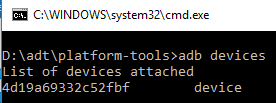
ContributionsMost RecentMost LikesSolutionsRe: Your iOS application is linked to a static version of the TestComplete Agent library Hi, yes you are right . I was trying to instrument an iOS app in TestComplete, but it was already instrumented in Xcode. Thank you Re: Object browser not showing app hierarchy(App Objects). Hi YuriPeshekhonov, Thank you for replay. em already using latest verision of TC which is 11.31.2420. Your iOS application is linked to a static version of the TestComplete Agent library Hello everyone, i'm getting this error (Your iOS application is linked to a static version of the TestComplete Agent library) while instrumentation of application in TC v11.31.2420. during instrumenting it is not asking for previsions or pem files like even though i followed all steps provided in support portal. SolvedObject browser not showing app hierarchy(App Objects). Hello everyone. i'm using TestComplete v.11 for multiple device (Emulator, galaxy s3 , s5 and s6 etc) testing automation. the issue is that testcomplete showing app Objects hierarchy(App Objects) in object browser only for galaxy s3 and emulator only but not for other devices (galaxy s5 and s6). even all devices have same testcomplete instrumented android app, app version And USB debugging also enabled. some body has any idea(Solution) . Re: How can i get image from Android image view tag and compare with other? Thank you. its really helpful info. How can i get image from Android image view tag and compare with other? Hello, How can i get image from Android image view tag and compare with other?. Thanks SolvedRe: unable to connect samsung galaxy s3 sure. Re: unable to connect samsung galaxy s3 Okay Thank you .. i will try to connect them and hope if they can fix this. Re: unable to connect samsung galaxy s3 Thank you for reply. the device is connected to ADB and shown in devices list. Test Complete version is 11.31. 2420. 7 unable to connect samsung galaxy s3 Hello , em unable to connect with samsung galaxy s3 with testComplete. i have followed the guide and performed all steps carefully. like enable debugging mode, stay awake and unchecked app verification option. i have run this command adb shell logcat -c too and got no error