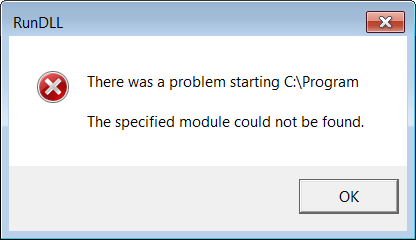
ContributionsMost RecentMost LikesSolutionsRe: My test complete free trial will not work, offline activation won't work either Hello Tanya I went with option 2 in your proposed solution "Delete theC:\Program Files (x86)\SmartBear\[Test Agent or TestComplete]\Bin\aqStatistic.dll file from the hard disk. This file is not critical, and Test Agent or TestComplete should be able to work without it" The "RunDLL" error message no longer appears when I open TestComplete 11. However I am still having issues with my license. Also I still can't activate the license offline. I've contacted support and they've proposed the following solution "you need to install to C:\TestComplete" So I installed test complete 11 again under "C:\TestComplete". The "RunDLL" error message is gone, but I am still having issues activating my trial license. I still can't use the offline option either. I'm stuck here, is there anything else I can do? Cheers, Adam H. My test complete free trial will not work, offline activation won't work either Hello I really have three issues see below Issue 1: I get the following error message when opening Test Complete (see image below). Is this the reason why I am having trouble with my license in the first place? I've installed test complete in C:\Program Files (x86)\SmartBear\TestComplete11 Issue 2: I downloaded test complete, and I want to use the 30 day free trial. When I try to use the free trial I run into this error message (see image below) Issue 3: I tried doing the offline activating and I get this error