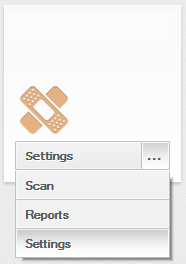
ContributionsMost RecentMost LikesSolutionsRe: Construct a object if I know the object name Thanks. Eval(string) did the trick. Construct a object if I know the object name Hi, I have the following call: Call Aliases.browser.page.formForm0.radiobutton1YearSubscription.ClickButton where radiobutton1YearSubscription is a radio button in a form. In the same form i have another 2 radio buttons radiobutton2YearSubscription3600 and radiobutton3YearSubscription2400 I want to call the click method after a if statment like this: If (y="1y") then BTNy="radiobutton1YearSubscription" elseif (y="2y") then BTNy="radiobutton2YearSubscription3600" elseif (y="3y") then BTNy="radiobutton3YearSubscription2400" End If Call Aliases.browser.page.formForm0.BTNy.ClickButton How can I construct the object knowing the button names? Thanks SolvedRe: Select item from Combobox - Property Visible = False, VisibleOnScreen = False The solution is to call CWnd_ShowWindow(1) before ClickItem(1) and the code looks like: tile.ComboBox.CWnd_ShowWindow(1) 'Makes the Combobox visible -> Visible property = True call tile.ComboBox.ClickItem("Settings") 'Selects the Settings option from the Conbobox Re: Select item from Combobox - Property Visible = False, VisibleOnScreen = False Using the command described, I receive the following message: --------------------------- TestComplete --------------------------- Microsoft VBScript runtime error. Type mismatch: 'tile.Combobox.CComboBox_SelectString' Error location: Unit: "PS2\P1\Script\Unit4" Line: 10 Column: 3. --------------------------- OK --------------------------- Re: Select item from Combobox - Property Visible = False, VisibleOnScreen = False If I use tile.Combobox.CComboBox_SelectString(0, "Reports") I receive the following error "Type mismatch: 'tile.Combobox.CComboBox_SelectString'" ; Param1 is defined as Integer and Param2 is defined as Byte. I don't know what Param2 refers to. Re: Select item from Combobox - Property Visible = False, VisibleOnScreen = False I'm using Test Complete for desktop and VBScript (scripting language). I can use call tile.Combobox.CComboBox_SelectString(Param1 as Integer, Param2 as Byte) as Integer Can you give me an example how can I use it to select lets say the option "Reports" from the Combobox? Re: Select item from Combobox - Property Visible = False, VisibleOnScreen = False I want to click on "..." button and select an option from the list. Re: Select item from Combobox - Property Visible = False, VisibleOnScreen = False If i use call tile.ComboBox.CComboBox_ShowDropDown(1) the list is drop downed but I don't know how can I select an item from it. Select item from Combobox - Property Visible = False, VisibleOnScreen = False Hi, I want to test a desktop application written in C++. I want to click on a selected item from a combobox with property Visible = False and VIsibleOnScreen = False. I am using call tile.ComboBox.ClickItem(1) but I receive the message The 'xxx' windowis invisible and thus cannot be activated. Is there a possibility to select a value from the combobox if is set visible = false? Or can I set Visibility = True for the object before clicking the item? Thanks