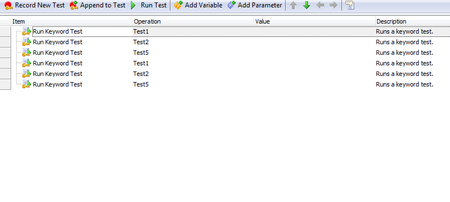
ContributionsMost RecentMost LikesSolutionsRe: If Object Exists in a Data-Driven Loop You can try using Refresh Method on the tested object. Regards Osaid Re: Skip to next group on error. Hi, If i got it correct, you have n keywords in Group1 and another n keywords in Group2. Group1 keywords are dependent on each other and same with group2 but group1 and group2 are independent groups. You can combine all your keywords of Group1 in a single keyword and use that keyword in your 'Organize Tests section' as 1 group and similarly for other groups, combine the keywords and pull it in organize tests section as another group. Attached images will help you understand better. Also you will have to check 'Stop on Error' in Playback properties. Refer this. Regards Osaid Re: Closing browser windows if Open Hi, Try using Sys.WaitBrowser. https://support.smartbear.com/testcomplete/docs/app-testing/web/general/common-tasks/checking-browser.html Regards Osaid Re: Data loop fucntion with Keyword tests_ not working Hi, What are the 2 keyboard inputs sent to application in the attached log image? Are those the same that you passed from the file? How did you deduce that the steps in keyword are executed first? I am not sure if the logs sorted by 'Has Picture' is confusing you. Sort it by time if that is the case. Regards Osaid Re: Unable to use my data driven tests on multiple machines.(How can i make the path of .csv filegeneric Hi Feroz, Keep the file in the project location and get the complete path. Consider the following VBScript code. Call it in you keyword and pass the result to your DataDriven operation. Function GetCompleteFilePath(FileName) GetCompleteFilePath = Project.path & FileName End Function However I am not sure if you would be able to use file rows/colums to iterate your set of operations. If that is the case, you might have to implement your own data driven loop script using VB excel object(in my case) instead of TC's inbuilt Data Driven operation. That is always a better choice. Regards Osaid Ahmad Re: Sometimes keys method skips few characters while entering text. Hi Jitender, Try adding Key pressing delay, say 200ms in Playback Properties and see if it helps. Regards Osaid Re: TestComplete12.30 utilizes CPU 95% to 100% , so execution is very slower. Hi Abhay, I have been facing performance issues with different find methods especially in chrome. To filter out try putting a timer or a log message and confirm if page.FindChildByXPath is the line that is taking time. iTime = Timer() Set obj = page.FindChildByXpath Log.Message "Time taken to find the object: " & Timer()-iTime & " secs" If Yes, try finding the object by CSS Selectors or Find Method. Regards Osaid HighChart Object Support Hi, It would be good if we can have highchart object support(SVG Technology) in testcomplete. Automating highcharts would become easier. Regards Osaid Re: Can't launch TestComplete/TestExecute using Windows Task Scheduler What is the action you are using in the scheduler. Try Launching TC directly from cmd. If you are able to do so then u can try saving the command in a .vbs file. Double click and see if it works. Later u can run this from scheduler. Regards Osaid Re: No Log File - No Results???? Hi Azwip, I have been facing the same from quite some time. Most likely this a crash occuring because of memory issues. If you find the dumps (.dmp file) at the following location, it is a crash. C:\Users\<User>\AppData\Local\SmartBear\TestComplete\<TC Ver>\Logs Try reducing number of tests that run as a suite. Eg. You mentioned 80, split it 40-40 or even less. I know this is an overhead but thats how it is working for me. Regards Osaid