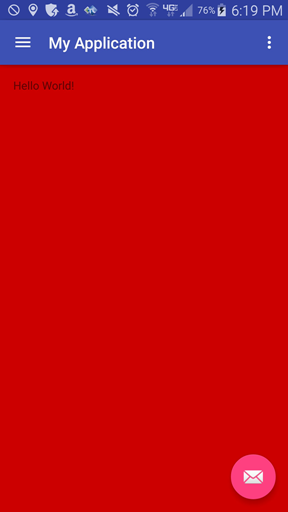
ContributionsMost RecentMost LikesSolutionsRe: I need mobile application training course material Hi Ashraf, Funny you should ask :) You can download our book here: TestComplete Mobile Testing Guide. thank you, -Noel Rice Falafel Software Re: Blackbox testing for iOS applications The short answer so far is "no". iOS security is such that you can't even use image-based testing on iOS until you have an instrumented app. Until then, you'll get the message below in the Mobile Screen that says as much. And unlike Android apps, there's no simple developer's certificate you can use for quick and dirty instrumentation. I'm continuing a set of blogs on mobile testing, and iOS instrumentation in particular, just in case you want to watch over my shoulder. The index for the blogs: http://blog.falafel.com/31-days-testcomplete-mobile/ Noel Rice Falafel Software http://blog.falafel.com/instrumenting-ios-apps/ http://blog.falafel.com/open-apps-introduction/ Re: Layout background color Layouts may not always have a solid background color, but when they do, here are two ways to get at it. If you have an instrumented app, you can use the layout getBackground().getColor() methods. getColor() returns an integer that includes the the alpha (amount of transparency) and the red/green/blue components of the color. I created a "Hello world" in Android Studio and changed the background color to a slightly dark red. The color is #CC0000 in hex, a slightly lower red intensity, no blue, and no green. Here's the script (I left out the path to the view, because it's quite long and doesn't help): var argb = layout.getBackground().getColor(); // strip the alpha channel var rgb = argb & 0X00FFFFFF; // a hex string var hex = rgb.toString(16); // shift and mask to get color component values var R = ((rgb >> 16) & 0xFF); var G = ((rgb >> 8) & 0xFF); var B = ((rgb) & 0xFF); If you don't have an instrumented app, you can get a screenshot from the mobile Desktop object and get the color at any point in the image using the Pixels() method: var desktop = Mobile.Device().Desktop; var rgb2 = desktop.Picture().Pixels(desktop.Width / 2, desktop.Height / 2); The debugger local values look like this: The argb integer comes back from getColor(), rgb is an integer with the alpha channel removed, and R is an integer with the Red value. The 204 is equivalent to hex "cc". Note: getBackground() is in Android API 11+ -Noel Rice Falafel Software http://blog.falafel.com/31-days-testcomplete-mobile/