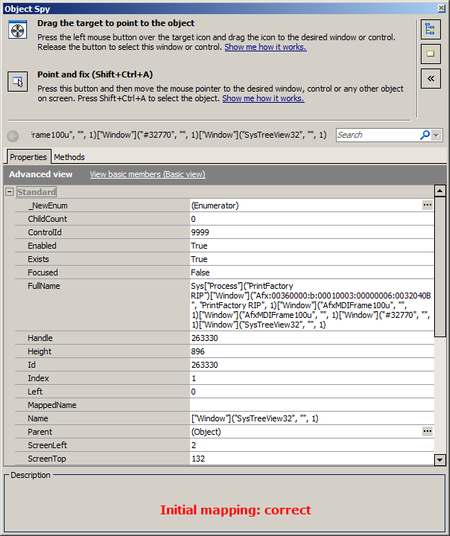
ContributionsMost RecentMost LikesSolutionsRe: Objects' properties lost as the same objects are now mapped differently What I meant with 'name mappings get lost' was that when I go to NameMapping > right click on an Alias > select "Highlight on Screen", no mapped object is recognized anymore and I am prompted with a message telling that the object cannot be highlighted as it does not exist. The mappings were all saved and I was in the correct screen of the application. A friend also experienced this problem, but he said that in his scenario, the issue was more related to the functionality of "Highlight on Screen" than to MSAA option. In the end I have mapped all my objects again and I will avoid using "Highlight on Screen" functionality. So far, I did not encounter the problem again. Re: Objects' properties lost as the same objects are now mapped differently Thanks a lot! That indeed did the trick with getting back the properties and methods. However, my old name mappings are still not usable. Can this somehow be related with changing the MSAA options? Or in other words, in which situations will the name mappings get lost? (please take into consideration that I did not change anything in the Mapped Objects tree or in the Aliases tree) Objects' properties lost as the same objects are now mapped differently Hello all, I have been using TestComplete to write automation scripts for my desktop application. Suddenly, the name mapping doesn't work properly, as the same objects are mapped differently now, having only a few properties and methods that can be accessed. Therefore, all my tests fail, as the aliases from name mapping are not recongnized. After googling the problem, I have tried to change the project's properties from the "Open applications" and "Object mapping" sections, but did not manage to reach the initial mapping again. I have even reinstalled TestComplete to have the default settings back, but again, without any success. Do you have any idea why is this happening now or do you have any suggestions for fixing the issue? Please find attached below the printscreens for the initial object mapping (correct) and for the second object mapping (incorrect): Solved