heidi_nRegular ContributorJoined 12 years ago184 Posts10 LikesLikes received7 SolutionsView All Badges
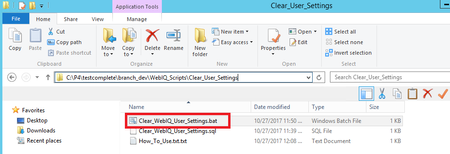
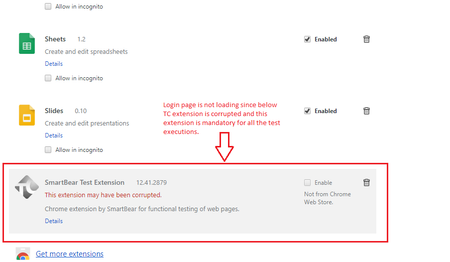
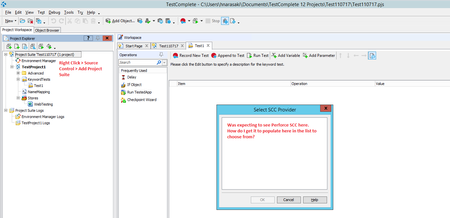
ContributionsMost RecentMost LikesSolutionsRe: What versions of Chrome does TC 12.40 Support? Great, thank you! What versions of Chrome does TC 12.40 Support? What versions of Chrome does TC 12.40 support? SolvedChrome SmartBear Test Extension Corrupted - How to Reinstall? In Chrome extensions, it says the Smart Bear Test extension may have been corrupted. How do I reinstall it? SolvedIs there a "Known Issues" list for TC 12? Is there a "Known Issues" list for TC 12 somewhere? If so, where? SolvedRe: Perforce (Source Control) Error After Upgrading to TC 12.41? I'm using Perforce 64 bit. Yes, if I run the 32 bit version of TC it works properly, but I wanted to upgrade to TC 12.41 for Chrome 62 support. Perforce (Source Control) Error After Upgrading to TC 12.41? We updated to TC 12.41 from TC 12.31 and are getting the following error when trying to use Perforce (Source Control) with TC. Is Perforce incompatible with this version, or am I just missing some setup steps? Re: How to write a script to call a bat file to run? I added the bat file as a Tested App. How would I call it to run in a script (JavaScript)? EDIT: Oops, I see from an earlier comment it is TestedApps.yourBatFile.Run() I will try that thanks everyone! Re: How to write a script to call a bat file to run? But non keyword tests don't have the Tested Apps section, right? We are not using keyword tests. Re: How to write a script to call a bat file to run? Basically, I want to run this bat file before I run any of my normal TC scripts for my web app. I have all my web app scripts ready, but I'm not sure how to launch the bat file/make it run at the beginning of my test. How to write a script to call a bat file to run? I would like to have a script (JavaScript) that runs a bat file. How would I go about doing this? The bat file is located in C:\P4\testcomplete\branch_dev\WebIQ_Scripts\Clear_User_Settings and is called Clear_WebIQ_User_Settings.bat Solved