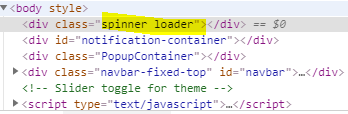
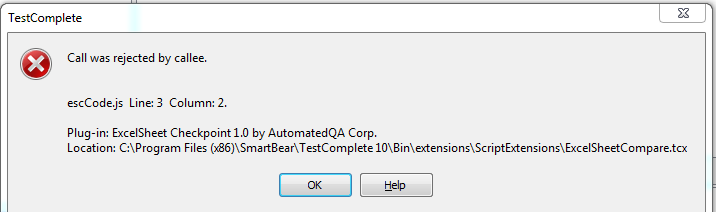
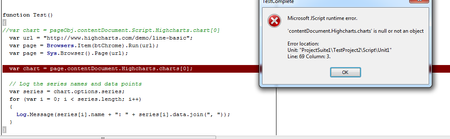
ContributionsMost RecentMost LikesSolutionsRe: "frame.contentDocument.readyState" function not working Ok. i will try using wait property to solve this issue. Thanks Lino . :smileyhappy: "frame.contentDocument.readyState" function not working Test Complete Version: 12.60.5545.7 x64 Hi all, I am using this method https://support.smartbear.com/testcomplete/docs/app-testing/web/general/common-tasks/waiting-for-pages.html to wait the page fully loaded before peform an action. But it does not wait the page full loaded . I plan to use the loader classname to detect whther the loader still exist or not. How can i use the below object to detect the loader state? any suggestion. Thanks . while page is loading (classname= spinner loader) after page fully loaded (classname=spinner) SolvedRe: Compare excel files(ExcelObj is undefined ) i able to see the extension after click the reload btn. But i get new error message when running the script. Below is the screenshot of the error. Re: Compare excel files(ExcelObj is undefined ) i get the above code from the test complete coampre excel file article.. Here is the articel path https://support.smartbear.com/viewarticle/9046/#_ga=1.140248566.49838654.1488187804 Re: Compare excel files(ExcelObj is undefined ) function Main() { var oExcel = Sys.OleObject("Excel.Application"); var aSheets = Sys.OleObject("Scripting.Dictionary"); //You can specify the sheet to be compared //var vSheet = "Sheet1"; //aSheets.Add(vSheet, vSheet); var fileName = "C:\\Users\\ghaniabd\\Desktop\\excel"; var aInfo1 = ExcelObj.CreateInfo(oExcel, "1.xlsx", "Aging Summary (01 1 2017 - 03 1"); var fileName = "C:\\Users\\ghaniabd\\Desktop\\excel"; var aInfo2 = ExcelObj.CreateInfo(oExcel, "2.xlsx", "Aging Summary (01 1 2017 - 03 1"); var oResult = ExcelObj.Compare(aInfo1, aInfo2); if (oResult.length > 0) { Log.Warning(oResult); } else { Log.Message("The files are the same."); } oExcel.Quit(); } Sorry this is latest the code with the ExcelObj.. Compare excel files(ExcelObj is undefined ) I'm trying to compare two excel files using below code, I'm getting error 'ExcelObj' is undefined'. Please help... Thanks :) function Excel() { var oExcel = Sys.OleObject("Excel.Application"); var aSheets = Sys.OleObject("Scripting.Dictionary"); //You can specify the sheet to be compared //var vSheet = "Sheet1"; //aSheets.Add(vSheet, vSheet); var fileName = "C:\\Users\\ghaniabd\\Desktop\\excel"; var aInfo1 = aSheets.CreateInfo(oExcel, "1.xlsx", "Aging Summary (01 1 2017 - 03 1"); var fileName = "C:\\Users\\ghaniabd\\Desktop\\excel"; var aInfo2 = aSheets.CreateInfo(oExcel, "2.xlsx", "Aging Summary (01 1 2017 - 03 1"); var oResult = aSheets.Compare(aInfo1, aInfo2); if (oResult.length > 0) { Log.Warning(oResult); } else { Log.Message("The files are the same."); } oExcel.Quit(); } Re: Problem to validate chart on website Hi Hkosova, It works !!! Thanks a lots.. Thank you all :) Re: Problem to validate chart on website Hi , I get the idea already. Btw just now i tried run the sample code it throw me an error. Do i need to declare anything? Thanks :) Re: Problem to validate chart on website Hi Colin, https://support.smartbear.com/testcomplete/docs/testing-with/advanced/ocr/index.html I have go through the OCR docs from the above link. From the article they mention that TC provide OCR sample project in <TestComplete Samples>\Common\OCR. I have tried to run and got error "Process OCRApp" was not found. Do i need to do any pre-setup before run this proj? Thanks:) Re: Problem to validate chart on website Thanks Alex, I ask customer request team. :smileyhappy: