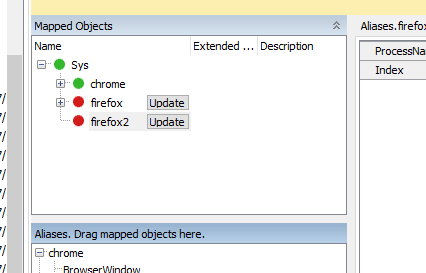
ContributionsMost RecentMost LikesSolutionsRe: Error: The object invoked has disconnected from its clients. I figured out my issue. Norton Password Vault is installed on my browser and it was throwing an alert for my vault password everytime the Firefox opened. Settings were changed to stop that and the script ran great. Re: Error: The object invoked has disconnected from its clients. I'm replying so i can get in this conversation as I'm having the same issue. We are evaluating TestComplete so we are using the sample shopping site provided by SmartBear. Just clicking on the button to add to the cart. Looping through Chrome and Firefox. When it hits Firefox it throws this error. Strange as it was working yesterday. Re: mapping and recognition of objects includes the browser name Thanks for your help! You cofirmed what I was looking for. Kind of curious the "legacy" setting is checked as a default. Anyway, lesson learned. Chris Re: mapping and recognition of objects includes the browser name Think I figured it out. That was the first project I started up. Then I unchecked the legacy settings per instruction in the project properties. Long story short: I started a new project which had the correct project settings from the beginning. Now it works! Re: mapping and recognition of objects includes the browser name What you described is supposed to be the default behavior for mapping but that is not the case in my TestComplete. I need it to default to sys -> browser but can't find the settings. Thanks, Chris Re: mapping and recognition of objects includes the browser name The actual browsers are listed under Sys intstead of a generic browser. mapping and recognition of objects includes the browser name I'm trying out TestComplete and probably having a project setting issue I can't fix. When recording the alias and recognition of my objects includes the browser name. It doesn't seem to be following the current browser concept. The keyword step doesn't show a generic browser (globe) symbol but shows the icon for the browser it was recorded in. Also, the Browser loop will fail out at the newly added browser on the first object it tries to interact with in the new browser. SolvedRe: TestComplete and Firefox 68 It was actually my Firefox install. I had Firefox and Firefox Developer (69.0) on my machine. Additionally, my Firefox was signed in to my Mozilla account which means it inherited some strict security settings and security add-ons from my home computer. That seems to have been the problem. I uninstalled both versions of Firefox and did not log into my Mozilla account. Now TestComplete recognizes it. Re: TestComplete and Firefox 68 I installed the patches. My record wizard still shows Firefox greyed out. Don't think it worked. TestComplete and Firefox 68 TestComplete doesn't appear compatible with Firefox 68. Will there be a TestComplete update soon? Solved