Jovani_smoOccasional ContributorJoined 2 years ago12 Posts2 LikesLikes received2 SolutionsView All Badges
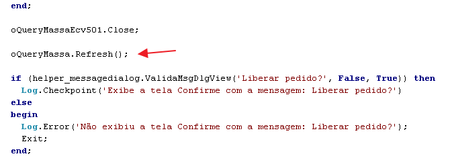
ContributionsMost RecentMost LikesSolutionsRe: How to start service Windows with TestComplete Yes, it works... I solved it by opening the CMD screen and running there 🙂 Re: How to start service Windows with TestComplete Even though you change it, the service still doesn't start WshShell.Run("net start " + ServiceName); Re: How to start service Windows with TestComplete Hi rraghvani! I tried to start TC as an administrator, and run the command WshShell.Run("net start" + ServiceName); but it still didn't start the service 😞 How to start service Windows with TestComplete Hi guys! I'm using Windows 10 and TC 15.54. Using WMI.GetServiceState I can get the status of the service, in this case it is Stopped. How do I start this service through TestComplete? I already tried, but it didn't work... var ServiceName = 'Sysmo S1 Task Scheduler'; WshShell.Run("net start" + ServiceName); SolvedRe: Command refresh in PostgreSQL with TestExecute Hi... Sorry for the delay in answering, I was doing tests and simulations here... The version of TestComplete we use in development is 14.10.1042.7 x64. The versions of TestExecute we have running here are 14.10.1042.11 x64 and 14.91.341.11 x64... The problem happens on the machine that uses TestExecute 14.91.341.11 x64. I did tests with TestComplete 15.48.6.7 and it ran just fine... I managed to make it work on TestExecute 14.91.341.11 x64 by changing Refresh to Requery: http://docs.embarcadero.com/products/rad_studio/delphiAndcpp2009/HelpUpdate2/EN/html/delphivclwin32/ADODB_TCustomADODataSet_Requery.html Before: oQueryMassa.Refresh; After: oQueryMassa.Requery; Using Requery worked correctly in all versions of TestExecute. After all, the error wasn't related to PostgreSQL. Thank you for your help. Re: Command refresh in PostgreSQL with TestExecute Well that's right... I'm calling the Refresh method just to update the value in the application... and it works fine when I use it with TestExecute 14, the problem happens when I use it with TestExecute 15. Re: Command refresh in PostgreSQL with TestExecute I'm automating a Delphi application that uses PostgreSQL... I update the database and I'm using the Refresh method after that. Re: Command refresh in PostgreSQL with TestExecute Sorry, I forgot to mention it before, I'm using PostgreSQL 14.2 database and the error that returns in the database log is the following: ERROR: column c.relhasoids does not exist at character 245 STATEMENT: select n.nspname, c.relname, a.attname, a.atttypid, t.typname, a.attnum, a.attlen, a.atttypmod, a.attnotnull, c.relhasrules, c.relkind, c.oid, pg_get_expr(d.adbin, d.adrelid), case t.typtype when 'd' then t.typbasetype else 0 end, t.typtypmod, c.relhasoids, attidentity from (((pg_catalog.pg_class c inner join pg_catalog.pg_namespace n on n.oid = c.relnamespace and c.oid = 1608172) inner join pg_catalog.pg_attribute a on (not a.attisdropped) and a.attnum > 0 and a.attrelid = c.oid) inner join pg_catalog.pg_type t on t.oid = a.atttypid) left outer join pg_attrdef d on a.atthasdef and d.adrelid = a.attrelid and d.adnum = a.attnum order by n.nspname, c.relname, attnum Remembering, I have two other machines with TestExecute in version 14, using the same version of PostgreSQL and these two machines do not return an error... it only returns an error on the machine that I have TestExecute in version 15 running. Re: Command refresh in PostgreSQL with TestExecute Hi, the situation would not be the object's waiting time, but when running the Refresh method to update the currently running processes... this is the method I'm running and it's not working: https://support.smartbear.com/testcomplete/docs/reference/test-objects/members/common-for-all/refresh-method.html Re: Command refresh in PostgreSQL with TestExecute Hello... so, the confirmation screen is showing because it is not refreshing the database... the confirmation screen shows the order number, but as the database has not been refreshed, it breaks the test.