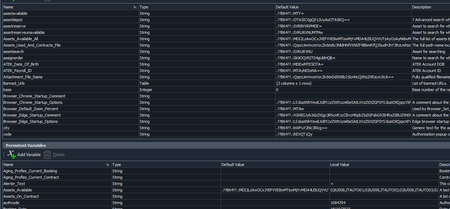
ContributionsMost RecentMost LikesSolutionsRe: Small demo project on self healing I wouldn’t say the TestComplete self healing is AI at all. Its been around for years and we don’t use it as it breaks a lot of stuff and you can end up with a name mapping mess. Suggest you make a backup before using it. For a simple app it may be OK. True AI uses some sort of incremental and adaptive machine-learning using artificial neural networks or similar heuristic inference learning model which TestComplete doesn’t. Re: Adding testcase description to test log I use a meanigfull test name plus we have a convention to add a log message at the start and end of all tests and support procs. It would be nice if the description was added the calling side as well in the comments, or even if the comments were included in the log. Re: Name mapping editor: Split view drag bar disappeared The VM had a large screen resolution and so the UI sizes in the Settings.XML file were not valid for use on a smaller screen and I think the drag bar was beyond the bottom edge of the screen and hence not accessible. Re: Name mapping editor: Split view drag bar disappeared I deleted C:\Users\username\AppData\Local\SmartBear\TestComplete\15.0\tcSettings.xml and re-opened TC and that has solved the issue. I lost a few settings which I could recreate easily. Re: Name mapping editor: Split view drag bar disappeared Thanks, thats exactlty what I get running TC on my laptop but under on a VM its different: The drag bar is missing. Clicking and switches between Aliases and Mapped objects but the drag bar does not appear. I was working on some mapping and dragging mapped objects to create aliases but at some point it dissapeared. I suspect its something to do with something getting corrupted in one of the files (tcSettings.xml ?) that stores the app UI after TC is closed unexpectedly. The project was saved the the VM was re-booted without exiting TC correctly which is when the UI file is updated. When I re-opened a day later I had a message to the effect a certain file was corrupted and would I like to recover it. Clicking "Yes" things seemed to work as normal except for this issue. Name mapping editor: Split view drag bar disappeared Has anyone seen this issue. Please refer to attached screen shot. If you look closely the one on the left on my left is on my laptop has a drag bar and thats normal. The one on the right is on a VM and it doesn't have it. If you click the v ^ icons it maximises the Aliases and Mapped Objects panes and removes the split view drag bar. The drag bar appears which can be used to split the view. Its essential for creating Aliases by dragging across but it has disappeared. I am pretty sure there's no option for this. I tried opening and closing TC and resetting the docking and but no luck! Hovering the mouse around that area does not change its appearance as well. It appears to be stuck in that mode. Re: OCR service failed to process the document We received that email on Friday 20th Oct after 1700 local when we had just finished for the weekend. SmartBear defo need to improve their coms to match the efforts of their sales and marketting team. Re: TestComplete v15.56 software saving string variables with Base64 encoding rwood_certWe have had exactly the same issues lately including crashes when accessing TestComplete on a VM with different user profiles which totally locked up the VM when TC opened. Fortunately its fixed but it took months of frustrating "support" which took us in circles many times! We were about to purchase ReadyAPI and thats stalled due to various issues with that as well. To confirm 15.57.2.7 we have not seen variables being corrupted but we need to do more testing. I am beginging to question the quality of testing for the latest releases. Corrupted Project and Keyword Test variables Hi has anyone experienced this issue? Variables values being corrupted into a something that looks like Base 64 Eg Name_local is appearing as .??B64??.:U2FtIEpvaG5zb24= If you Base64 decode U2FtIEpvaG5zb24= it is "Sam Johnson" which WAS the original value. This has broken hundreds of tests and critical project variables. Scripts were not affected. This has happened since upgrading to 15.57.2.7 or the version before that. We use github/DevOps so hopefully we can find when this has happened and rollback. However we neeed it resolving. I'd warn everyone to be very careful with the latest versions. We will try and rollback the product as well. I have used TestComplete for over 10 years and lately within the last couple of years it's become very buggy and lacking support. We will be looking at other options just incase things do not improve. We dont care about the cost we just want a stable product. Re: Corrupted Project and Keyword Test variables We have opened ticket 00574549 for this. We're worried other projects will be impacted. The quality of TC releases has become poorer over the last 2-3 years and we want to have a conversation with our account manager to get some feedback from the Product Manager. We dont want to make further investments if this is now the norm. Its dissapointing to see, as I've used it for 12 years and its never been as bad as this. I'd stake my reputation on TC but not now.