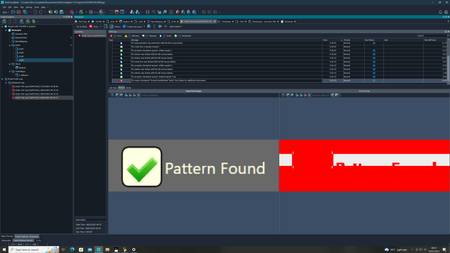
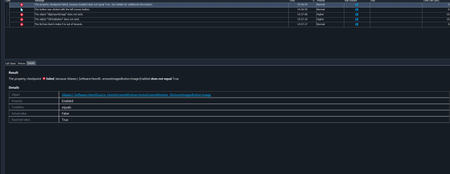
ContributionsMost RecentMost LikesSolutionsRe: Hover Text for desktop applications What if I'm only working with scripts and not keyword tests? Can you walk me through the steps to add a check point into a python script? Re: Hover Text for desktop applications I can't locate the tooltip because the object disappears while trying to set a checkpoint. Is there any alternative to that? Hover Text for desktop applications Hi, I have been trying to test the hover text for various buttons on the screen. I am not sure of what checkpoints to use for that. Note: 1. Since this is a desktop application, I cannot use the ImageRepository object. 2. I am scripting in python and not using keyword tests. Image comparison Whenever I add a checkpoint that includes comparing images, the resultant image exhibits a red tinge. It should be noted that this is the case for every image I am trying to compare. Visually, the images appear correct to me. Is the a reason why TestComplete might be failing image comparisons consistently? Re: Python conditional statements How do I check if the name mapping has changed? I just can't seem to understand what's causing this. Re: Python conditional statements It is compiling the following command: homeScreen.ImportImageButton.ClickButton(). This was after the else statement which implies that 'pass' worked. But then, why is it not going beyond that? It says dlgImportImage does not exist but I do see it in the object browser. Re: Python conditional statements The is the point, It is only looking for the condition in the if statement. It is not doing anything after that. It doesn't execute the statements in else and anything after that at all. Re: Python conditional statements This is what I see now. the digital import object is present in the object browser and the image was imported before I changed the settings to 'continue running'. Suddenly, it does not recognize the object. Re: Python conditional statements The problem here is that it performs the statements mentioned above if the button is enabled, but terminates the code if it is not. Re: Python conditional statements Here's the code for the conditional statements: def Test2(): I_Software = Aliases.I_Software button = I_Software.HwndSource_HomeScreenWindow.HomeScreenWindow_.RemoveImagesButton if aqObject.CheckProperty(button.Image, "Enabled", cmpEqual, True): imageSelector = I_Software.HwndSource_ImageSelector.ImageSelector button.ClickButton() imageSelector.SelectAllButton.ClickButton() imageSelector.OKButton.ClickButton() else: pass homeScreen = I_Software.HwndSource_HomeScreenWindow.HomeScreenWindow_ homeScreen.ImportImageButton.ClickButton() I_Software.dlgImportImage.OpenFile("C:\\Users\\Test Complete\\Desktop\\Samples\\Samples\\Indian.jpg") I_Software.HwndSource_MessageBox.MessageBox.OKYesButton.ClickButton() listView = homeScreen.GalleryList listView.HScroll.Pos = 0 listView.DblClickItem(0)