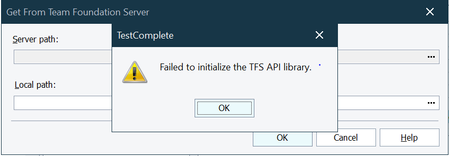
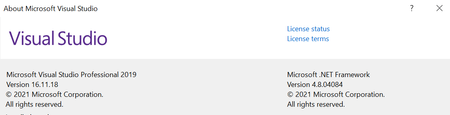
ContributionsMost RecentMost LikesSolutionsRe: VS 2019 - Failed to initialize the TFS API Library Team Explorer is the iternal Toolbar of the Visual Studio right its not a Version type.. I could see only VS Professional or Enterprise version of Visual Studio.. Please suggest.. Re: VS 2019 - Failed to initialize the TFS API Library I have updated both the Visual Studio [Version: 16.11.18] and Test Complete [Version: 15.43.1.7 x64] to the latest available Versions but of no luck. VS 2019 - Failed to initialize the TFS API Library When we try to access the Server Path and add a Server location to access the Online Repo getting an error as Steps to reproduce: 1) Navigate to Tools -> Options -> Source Control and select 'Current Source Control Plugin ' as 'Microsoft Visual Studio 2019' [already installed locally and Source path / Workspace is set] 2) Navigate to File -> Source Control -> Open From Team Foundation Server... 3) Click on the ... button at the 'Server Path:' section.