Solved
Forum Discussion


Marsha_R Champion Level 3
6 years agoChampion Level 3tristaanogre fyi, the link I posted to the double click documentation actually says it's *not* screen coordinates.

tristaanogre
6 years agoEsteemed Contributor
True... but let's say that the screen resolution on the remote machine is smaller. So, the object itself is smaller, pixel wise. So 90,15 may be outside of the bounds of the object on the remote machine. It's still worth investigating... the alternative is to remove those co-ordinates from the DblClick method.... always a good practice unless you explicitly need them. But making sure resolutions match would resolve the problem, potentially, throughout the code and not just on that one line.
- Marsha_R6 years ago
tristaanogre wrote:
the alternative is to remove those co-ordinates from the DblClick method.... always a good practice unless you explicitly need them.
Which is what I recommended above... :)
- sonya_m6 years ago
Alumni
Thank you Marsha and Robert for the suggestions!
Hi GradyJr , how is the investigation going?:smileyhappy:
 GradyJr6 years agoContributor
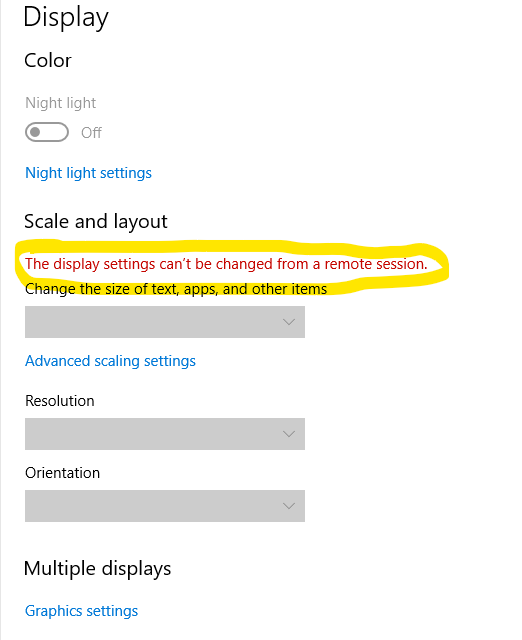
using click where dblclick is not essential resolved some of my errors but even though I've removed all coordinates from the remaining dblclick methods it still doesn't work. As the remote machines are VM's I'm apparently unable to even view the screen resolutions much less change them (see attached image). For the time being, just so i can get a project suite to run from start to finish, i've removed the tests that require a double click from the project and will continue to work on figuring out a solution. I will post back when I find the answer.
Thanks!