Solved
Forum Discussion


tristaanogre
7 years agoEsteemed Contributor
Well, there's something else going on in there... there's an "Unexpected Window" error... could be any number of things then that could be going differently. I'd resolve that error first before you start worrying about the "object recognition hint".
Basically, from your log, you're clicking on the OK on the backup restore window... but then there's something else going on where (I'm guessing) that window isn't getting closed before you attempt the next step.
tristaanogre
7 years agoEsteemed Contributor
Also, please highlight the line that has the object recognition hint and then, in the lower panel, select the "Additional Info" tab. It would be helpful to see what it thinks it is finding versus what's actually on the screen.
 IRISQATeam7 years agoContributor
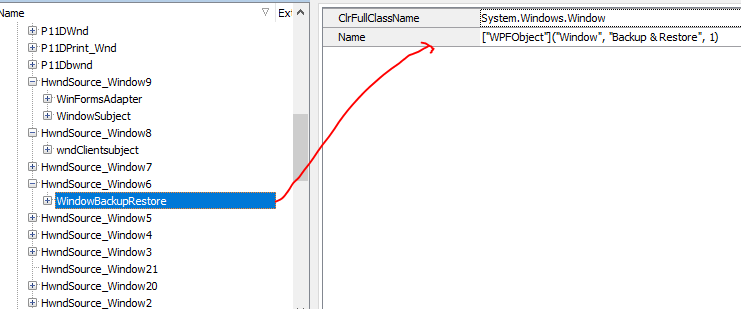
After adding Name to the second hierarchical level, it starts working and tests are running perfectly fine now.
- tristaanogre7 years agoEsteemed Contributor
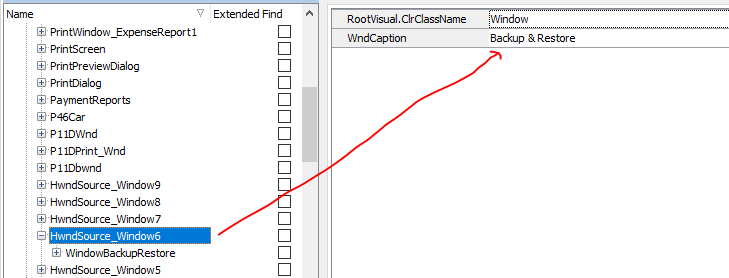
It's generally not a good idea to map using the "Name" field. In this case, I'd actually change the mapping to use the Caption property with a value of "Backup & Restore". This is a more accurate and reliable mapping.
- IRISQATeam7 years agoContributor
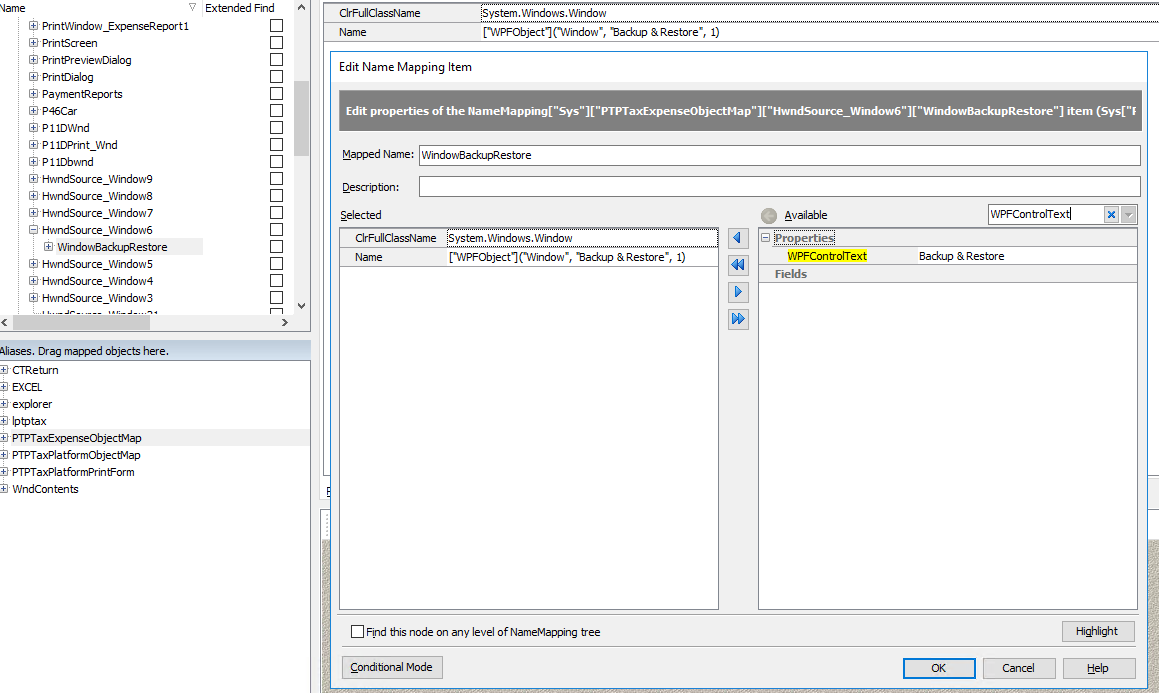
I have already added the WndCaption to the parent window but can't find WndCaption on the second level. But there is another property called WPFControlText on the second level, would adding that the be better solution than adding Name property?