Unable to click second item/object in File Explorer
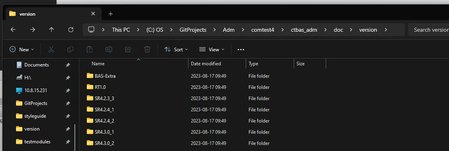


Found a workaround that works for now, had to do "End" keyboard input, down arrow and enter.

 Champion Level 3
A better approach is to enable MSAA (Project Settings -> Open Applications -> MSAA), this will expose all controls of Explorer. You can then search for the appropriate item, in this example, List("Items View") such as List("Items View").ListItem("Extensions") and perform e.g. a double click, to go into the folder of Extensions.
Contents of folder C:\Program Files (x86)\SmartBear\TestComplete 15\x64\BinThe above picture shows all controls of Explorer, exposed to TC, which you can interact with. You don't have to take into account the ordering of items, you just call the appropriate method to perform the action you require.