Hi All,
Now its working for me.
Browser : IE 9.
After i reach into "File_Import_screenshot.jpg", i ran the following code which will open the excel file and save into given location.
function test_execution(){
filepath = "\\QA07\Folder\45_RPT\\";
rpt_name = "Costing Reports";
rpt_id = "123";
export_excelfile(filepath,rpt_name,rpt_id)
}
function export_excelfile(filepath,rpt_name,rpt_id){
Sys.Browser("iexplore").BrowserWindow(1).Window("Frame Notification Bar", "", 1).UIAObject("Notification_bar").SetFocus();
Sys.Browser("iexplore").BrowserWindow(1).Window("Frame Notification Bar", "", 1).UIAObject("Notification_bar").UIAObject("Open").Click();
var filenameval1 = rpt_name + "_" + rpt_id + ".xls";
var filepathval2 = filepath + filenameval1;
waitExcelObject("WndCaption","Microsoft Excel - CrystalReportViewer1.xls [Protected View] [Compatibility Mode]","WndClass","XLMAIN","1000")
Sys.Process("EXCEL").Window("XLMAIN", "*", 1).SetFocus();
Sys.Desktop.Keys("[Alt]FA")
waitExcelObject("WndCaption","&Enable Saving","WndClass","Button","10000")
Sys.Process("EXCEL").Window("#32770", "Microsoft Excel", 1).Window("Button", "&Enable Saving", 1).Click();
waitExcelObject("WndCaption","Save As","WndClass","#32770","10000")
Sys.Process("EXCEL").Window("#32770", "Save As", 1).Window("DUIViewWndClassName", "", 1).UIAObject("Explorer_Pane").Window("FloatNotifySink", "", 1).Window("ComboBox", "", 1).Window("Edit", "", 1).SetText(filepathval2);
Sys.Process("EXCEL").Window("#32770", "Save As", 1).Window("Button", "&Save", 1).Click();
Sys.Process("EXCEL").Window("XLMAIN", "Microsoft Excel - " + filenameval1 + " [Compatibility Mode]", 1).Close();
return "File been successfully save at " + filepathval2;
}
function waitExcelObject(prop_name1,prop_value1,prop_name2,prop_value2,maxTime){
var my_object1;
var counter = 0;
var objectprop1 = new Array(prop_name1, prop_name2);
var objectvalue1 = new Array(prop_value1,prop_value2);
do
{
aqUtils.Delay(100);
counter+= 100;
Indicator.PushText(counter);
if(counter>maxTime)
{
return;
}
my_object1= Sys.Process("EXCEL").Find(objectprop1,objectvalue1, 2000, true);
Indicator.PopText();
}
while (!my_object1.Exists)
}


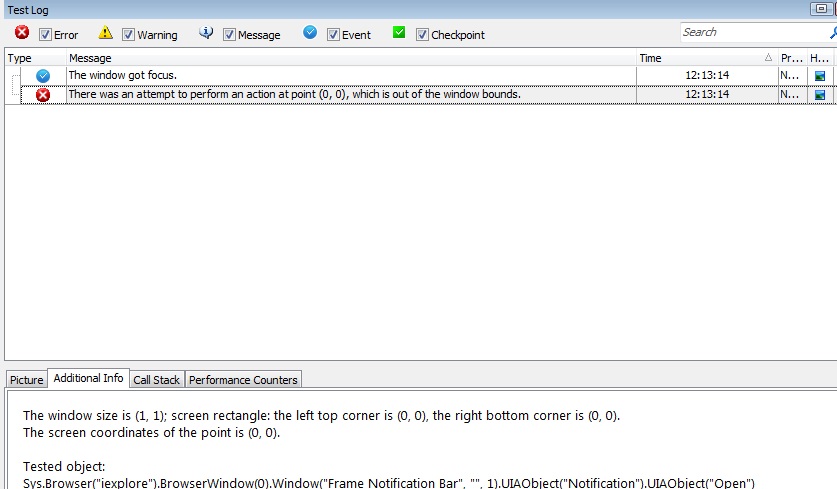

 neha_sharmaContributori am getting the same issue.
 googleid_118035ContributorHi All,