Forum Discussion


krisss
9 years agoOccasional Contributor
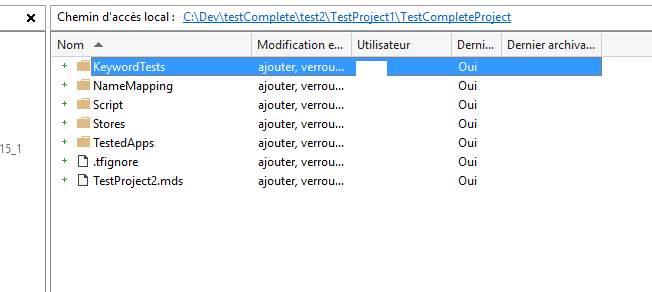
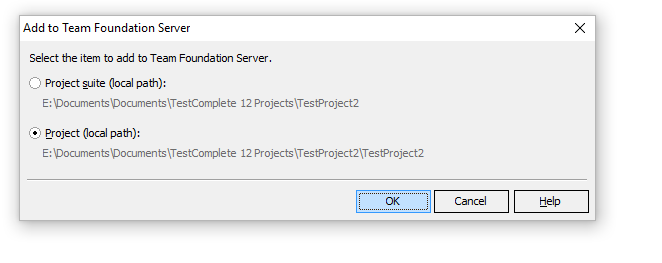
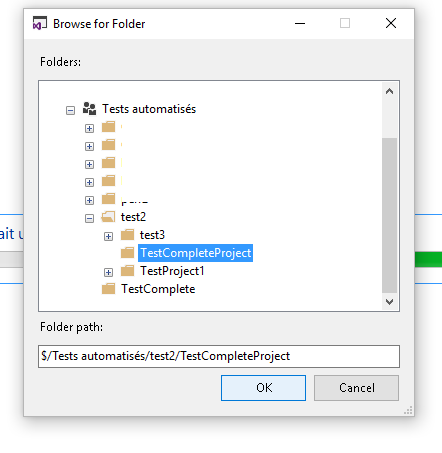
OK, I put some pictures:
pic1 to pic4 : my process
pic5: after the second pop up, this is my project explorer, without icons
pic6: the project was added to TFS but not checks in.
It works if i use MSSCI drivers , but this method seems to be deprecated .




tristaanogre
9 years agoEsteemed Contributor
Double check and make sure that the MDS file is present in TFS. Also, before you clicked the "Add to TFS" option, had you saved your project first?
What happens if you close the project in TC and then reopen it? Do the icons change?
- tristaanogre9 years agoEsteemed Contributor
Another question... E drive... is that a local drive or a network drive? I think that the TFS integration is intended to work with local drives, not networked drives.
- krisss9 years agoOccasional Contributor
- Yes, the project was saved once.
- All my disk are local disks.
As you can see on the picture, the .mds is here, in TFS code source.
When I close and open my testcomplete project again nothing changes, no icon in project explorer and all the control source menu items are grayed except "Add to control source". No check in or check out shortcut.
If I use MSSCI, I can see the icons, and I have all the item in the menu.
Something is wrong, perhaps a right in TFS for testcomplete ? I have no idea.
- tristaanogre9 years agoEsteemed Contributor
In TFS for your workspace, how do you have things mapped? It's possible that the problem is a mapping translation...