Forum Discussion


ameykhopade
9 years agoContributor
I already tried this
If not sys.WaitChild(myobject,100000).Exists then
 end if
But this isnt working either.
I am using waithchild method on sys object and myobject contais the Full name of the object.
I have attached the error snaps for.
1. Errormessage_1.PNG
this the error message i am getting of the objects. this objects are available on the screen but the click action is not performed on this.
2.AdditionalInfo_1.PNG
this code line generates the error
Execute(strCommandLine)
here strCommandLine is a string variable which contains the :
"Call Sys.Browser("iexplore").Page("*").Form("aspnetForm").Panel("divHeaderAndContentPanel").Panel("divHeaderAndContent").Panel("divHeaderContainer").Panel("divHeader").Table(0).Cell(0, 1).TextNode("cphActionsRight_cmdManage").Click"
in the frame work I am using all the action are preformed using the "execute" method.
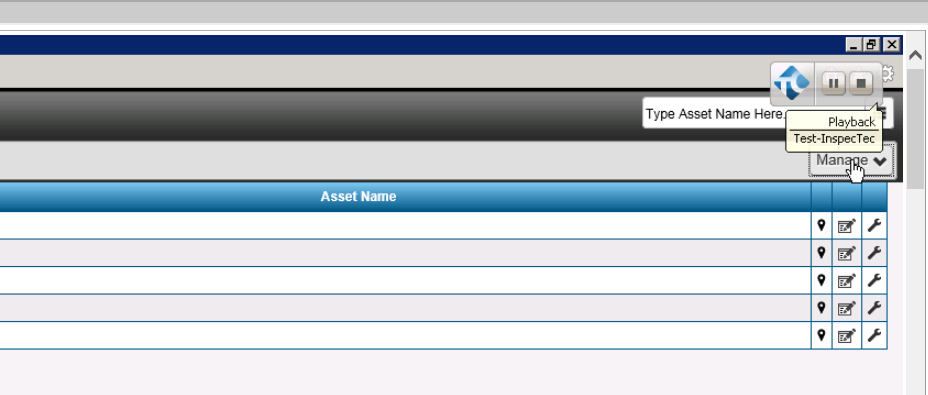
In Image.PNG contains the image of the button on which the action is to be performed.
"There was an attempt to perform an action on a zero-sized window" this the error message i am getting mostly where the object is present and available on screen and the same tests when executed individually passes successfully.
Not able to figure out y this is happening
thanks,
Amey



tristaanogre
9 years agoEsteemed Contributor
Ah, yes. OK. I'm actually rather familiar with this problem as an application that I'm working with currently does the same thing. Basically, you have forms or components that, in order to "hide" them, the developers are setting their size to 0,0 in the web application. This makes it so they are not seen on screen but their "Visible" and "Exists" properties are actually both true. It is visible and it does exist, but you just can't interact with it.
What we ended up doing is using a WaitProperty method on the object to check it's Width property. Basically,
while (myObject.WaitProperty('Width', 0, 500)) {
    Delay(500);
}
Now, we added some counters in there so that, if it doesn't become "visible" within 60 seconds, we would error out hopefully you get the idea.
- ameykhopade9 years agoContributor
yes got it.
But just a small doubt what did you used to break the while loop after 60 seconds?
you see in the below code i tried to break the while loop using the Break() method after the counter reaches 60 (which indicates that 60 seconds have passed and object is not available) but I an not able to break the loop here.
even tried using Exit in the IF inside the while but that also did not worked
While Not object.VisibleOnScreen'or object.Exists
 aqUtils.Delay 1000 ' 1 sec delay
  If counter > 60 then 'Exit
  Break()
 Else
 counter = counter + 1
  End If
WEnd
- tristaanogre9 years agoEsteemed Contributor
Consider changing "While" to "Do While" and using Exit Do to break the loop.